
When selecting the best CAPTCHA for Laravel projects, your choice should balance security, ease of integration, user experience, and backend flexibility. Laravel’s PHP ecosystem demands robust bot defense that fits naturally into MVC workflows, supports seamless validation, and minimizes friction for legitimate users. Several CAPTCHA providers are options—from Google’s reCAPTCHA and hCaptcha to newer entrants like CaptchaLa—but the best solution depends on your specific application size, language needs, and API preferences.
This article breaks down the most popular CAPTCHA options available for Laravel developers, focusing on technical features, integration approaches, and multilingual support. We’ll also highlight how CaptchaLa stands out with dedicated PHP SDKs and modern authentication flows geared toward server-side validation.
What Makes a CAPTCHA Solution Ideal for Laravel?
Laravel excels at clean, expressive syntax and offers flexible routing, middleware, and service container features. A CAPTCHA solution fitting this environment should:
- Provide a PHP SDK or easy server-side validation method
- Support client-side libraries for JavaScript frameworks (Vue/React)
- Offer multilingual UI to cater to diverse user bases
- Handle modern API authentication securely (tokens, keys)
- Scale from free tiers to business-level request volumes
- Deliver straightforward setup without excessive config overhead
Google’s reCAPTCHA is a default choice for many developers due to familiarity and widespread documentation. However, it comes with trade-offs like privacy concerns and dependency on Google services. hCaptcha adds an alternative vendor with competitive pricing and solid bot defense, while Cloudflare Turnstile offers a privacy-focused and frictionless challenge approach but fewer customization options.
Comparing Popular CAPTCHA Options for Laravel
| Feature | reCAPTCHA | hCaptcha | Cloudflare Turnstile | CaptchaLa |
|---|---|---|---|---|
| Official PHP SDK | No (community packages) | No (community SDKs) | No | Yes (captchala-php) |
| JS Client Libraries | Yes (vanilla JS) | Yes | Yes | Yes (JS + Vue + React + more) |
| Multilingual UI Support | 40+ languages | 30+ languages | Limited | 8 UI languages |
| Server-Side Validation | POST API with site/secret keys | POST API with keys | POST API | POST https://apiv1.captcha.la/v1/validate |
| Native Mobile SDKs | No | No | No | Yes (iOS, Android, Flutter, Electron) |
| Pricing Model | Free | Pay per usage | Free | Free tier + subscription tiers |
| Focus | Bot defense + spam protection | Bot detection + monetization | Privacy-friendly bot defense | Bot defense + developer experience |
While reCAPTCHA’s extensive language options and community familiarity are attractive, lack of an official PHP SDK means Laravel developers often rely on third-party packages. hCaptcha supports a competitive business model with monetization opportunities but has limited official mobile SDKs.
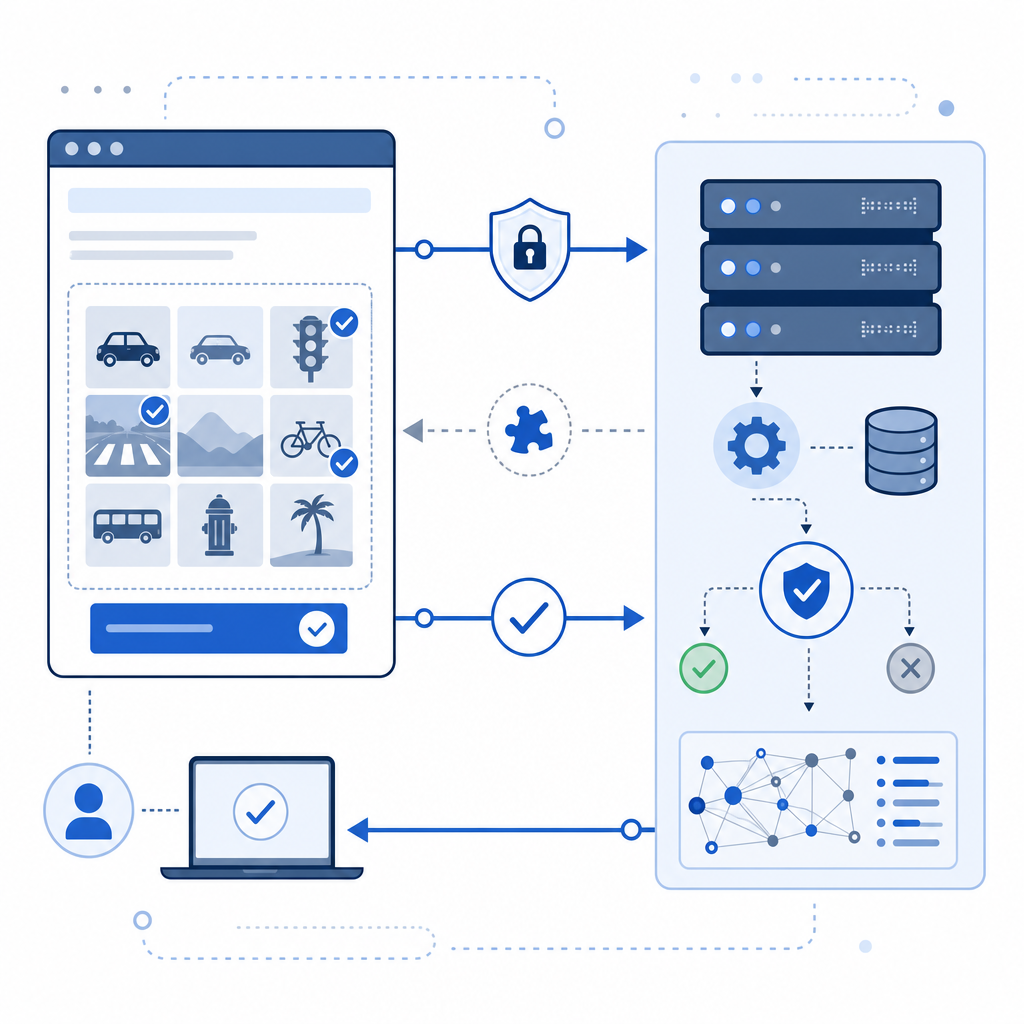
CaptchaLa addresses many Laravel-specific developer needs by providing an official PHP SDK (captchala-php) with straightforward server validation using secure token exchange, along with native SDKs for mobile platforms. Its multilingual UI supports 8 languages natively—covering most common web app localizations—and offers simple client loader scripts to quickly embed CAPTCHA challenges.

How to Integrate CaptchaLa with Laravel Step-By-Step
- Install the PHP SDK
Use Composer to add the official CaptchaLa package:bashcomposer require captchala/captchala-php - Add CaptchaLa to Your Blade Forms
Include the loader script and insert the challenge widget where needed:html<script src="https://cdn.captcha-cdn.net/captchala-loader.js"></script> <div id="captchala-widget"></div> <script> Captchala.render({ elementId: 'captchala-widget', language: 'en' }); </script> - Validate the CAPTCHA on Form Submission
Your Laravel controller should call the validation endpoint using the SDK or HTTP client:phpuse Captchala\CaptchaLaClient; public function handleForm(Request $request) { $passToken = $request->input('captcha_pass_token'); $clientIp = $request->ip(); $client = new CaptchaLaClient(env('CAPTCHA_APP_KEY'), env('CAPTCHA_APP_SECRET')); $isValid = $client->validate(['pass_token' => $passToken, 'client_ip' => $clientIp]); if (!$isValid) { return back()->withErrors(['captcha' => 'CAPTCHA verification failed']); } // Process form submission... } - Configure Environment Variables for Security
StoreCAPTCHA_APP_KEYandCAPTCHA_APP_SECRETsecurely in.envand never expose them in client code.
This straightforward integration model suits Laravel’s elegant controller and middleware patterns, ensuring CAPTCHA logic remains concise and secure.
Why CaptchaLa’s SDK and API Design Matter for Laravel Apps
CaptchaLa offers distinct advantages for Laravel developers:
Official SDKs Minimize Custom Code
Unlike alternatives reliant on third-party PHP wrappers, CaptchaLa’s maintained SDK streamlines updates and supports native PHP types.Broad Language and Framework Coverage
CaptchaLa’s frontend compatibility with Vue and React facilitates integration in Laravel apps using popular frontend stacks.Flexible Pricing and Free Tier
The free tier allows up to 1,000 requests monthly, ideal for small projects or testing; paid plans support up to 1 million monthly validations.Modern Security Practices
Token-based validation over https with distinct app key and secret protects your verification endpoint.
Overall, CaptchaLa integrates cleanly into Laravel’s architecture with minimal learning curve and reliable server-side verification aiding consistent user experience and robust bot defense.
Other Considerations When Choosing a CAPTCHA for Laravel
User Experience: Invisible or frictionless CAPTCHAs reduce user dropoff. Solutions like Cloudflare Turnstile excel here but may lack alternate languages or SDK support.
Privacy: If your app requires strict data handling locally, CaptchaLa’s first-party data model avoids third-party tracking used by Google or hCaptcha.
Customization: Some projects require custom challenge types or detailed UI tailoring—CaptchaLa’s SDK enables flexible frontend integration to suit branding.
Community and Documentation: While reCAPTCHA has broad community support, newer providers like CaptchaLa provide well-written official docs and active maintenance.
Conclusion
For Laravel developers building sites that require bot and spam defense, CaptchaLa offers a compelling option with official PHP SDK support, API-driven validation, and compatibility with modern frontend tools. While alternatives like Google reCAPTCHA, hCaptcha, and Cloudflare Turnstile are viable choices depending on requirements around privacy, usability, and pricing, CaptchaLa stands out by balancing ease of integration, multilingual UI, and flexible pricing tiers.
To get started with CaptchaLa’s Laravel integration, check out the detailed documentation. For production use, explore the available pricing plans to match your traffic needs.
Where to go next? Visit CaptchaLa’s pricing page to find a plan that fits your project size, then dive into the Laravel-specific setup guides in the docs.