
If you're building an Angular application and want to protect your forms or user interactions from automated bots, using an Angular captcha NPM package is an essential step. Angular captcha NPM packages provide easy-to-use components that seamlessly integrate CAPTCHA challenges to verify human users before form submissions or sensitive actions. This approach helps prevent spam, scraping, and abuse on your app by requiring users to complete a challenge that bots find difficult to solve.
Popular options include Google's reCAPTCHA, hCaptcha, Cloudflare Turnstile, and independent providers like CaptchaLa. Each offers Angular-compatible packages via NPM to simplify integration. This post breaks down how to choose and implement an Angular captcha NPM solution, their differences, and how to validate tokens effectively on your backend.
Why Use an Angular Captcha NPM Package?
Integrating a CAPTCHA directly through vanilla JavaScript handling can be cumbersome and error-prone in Angular apps due to its component-based, reactive architecture. Angular captcha NPM packages offer:
- Angular-friendly Components: Wrappers that fit Angular's lifecycle and data binding models
- Simpler Setup: Easily import and configure captchas in your templates using standardized Angular directives or components
- Consistent UX: Control styling and behavior that fits your app's design language
- Maintenance: Receive regular updates and bug fixes through NPM
Using these packages means you avoid dealing with raw DOM manipulations or external script loading hassles, reducing development time and improving security.
Overview of Popular Angular Captcha NPM Packages
Here is a comparison table of some widely-used Angular captcha packages:
| Service | Package Name | License | Supported CAPTCHA Types | Free Tier Limits | Features |
|---|---|---|---|---|---|
| Google reCAPTCHA | ng-recaptcha | MIT | reCAPTCHA v2, Invisible | Unlimited | Widely adopted, good documentation |
| hCaptcha | ngx-hcaptcha | MIT | hCaptcha Widget | Limited free tier | Privacy-focused alternative |
| Cloudflare Turnstile | ngx-turnstile | MIT | Turnstile (No CAPTCHA) | Unlimited | CAPTCHA-less, low friction |
| CaptchaLa | captchala-angular (via instructions) | Proprietary | Image/audio puzzles | 1000/mo free, 50K+ paid tiers | Native SDK, multi-language, private data only |
Each has unique strengths depending on your needs relating to privacy, ease of integration, UX friction, and pricing. CaptchaLa is fairly unique in offering a fully private, first-party data approach alongside native Angular support.
How to Implement Angular Captcha NPM in Your Project
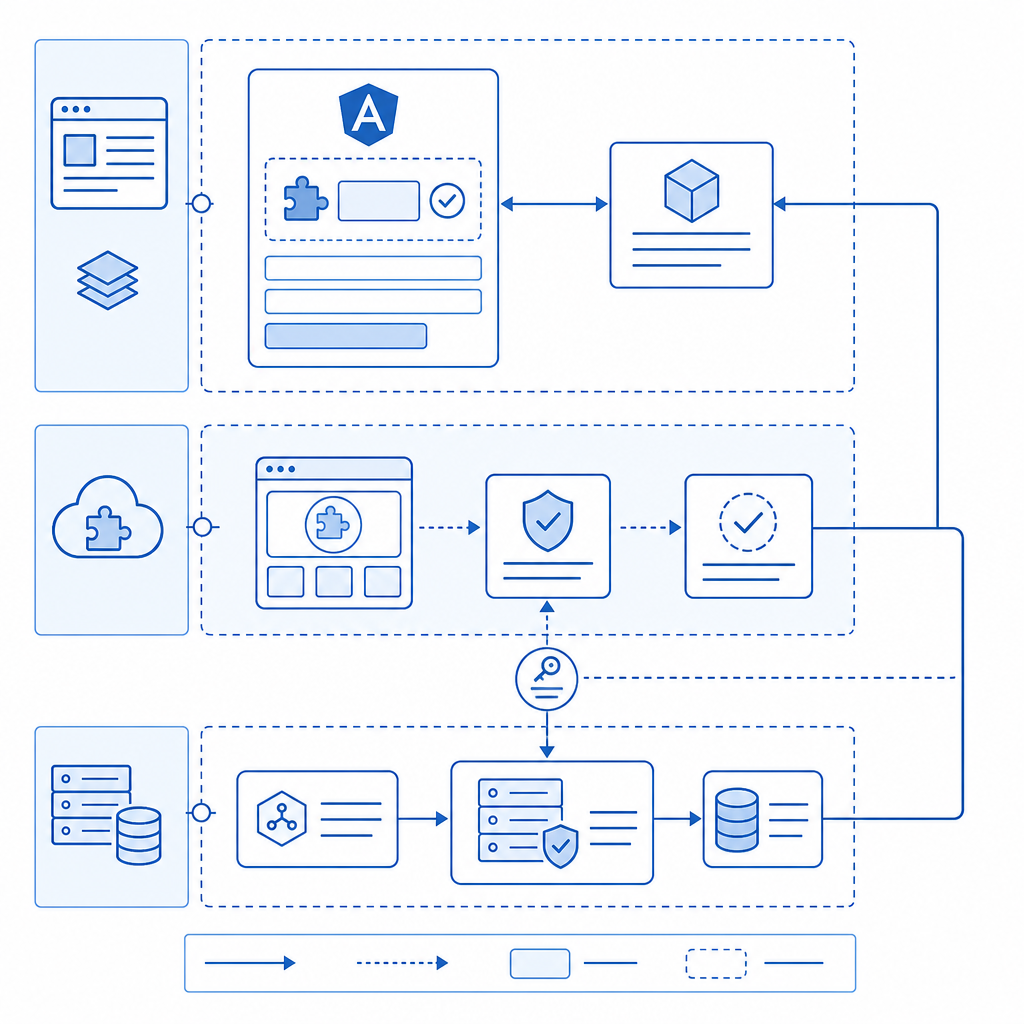
Below is a general step-by-step example using an Angular captcha package (adjust as needed for your specific provider):
- Install the Package
npm install ng-recaptcha # Example for Google reCAPTCHA- Import the Module
In your Angular module:
import { RecaptchaModule } from 'ng-recaptcha';

@NgModule({
  imports: [
    RecaptchaModule,
    // other imports
  ],
})
export class AppModule {}- Add Captcha Component to Your Form
<form (ngSubmit)="onSubmit()">
  <!-- your form fields -->
  <re-captcha (resolved)="onCaptchaResolved($event)" siteKey="YOUR_SITE_KEY"></re-captcha>
  <button type="submit" [disabled]="!captchaValid">Submit</button>
</form>- Handle Captcha Response
export class YourComponent {
  captchaValid = false;
  captchaToken: string | null = null;

  onCaptchaResolved(token: string) {
    this.captchaToken = token;
    this.captchaValid = !!token;
  }

  onSubmit() {
    if (!this.captchaValid) return;

    // Send this.captchaToken to backend for verification
  }
}- Backend Validation
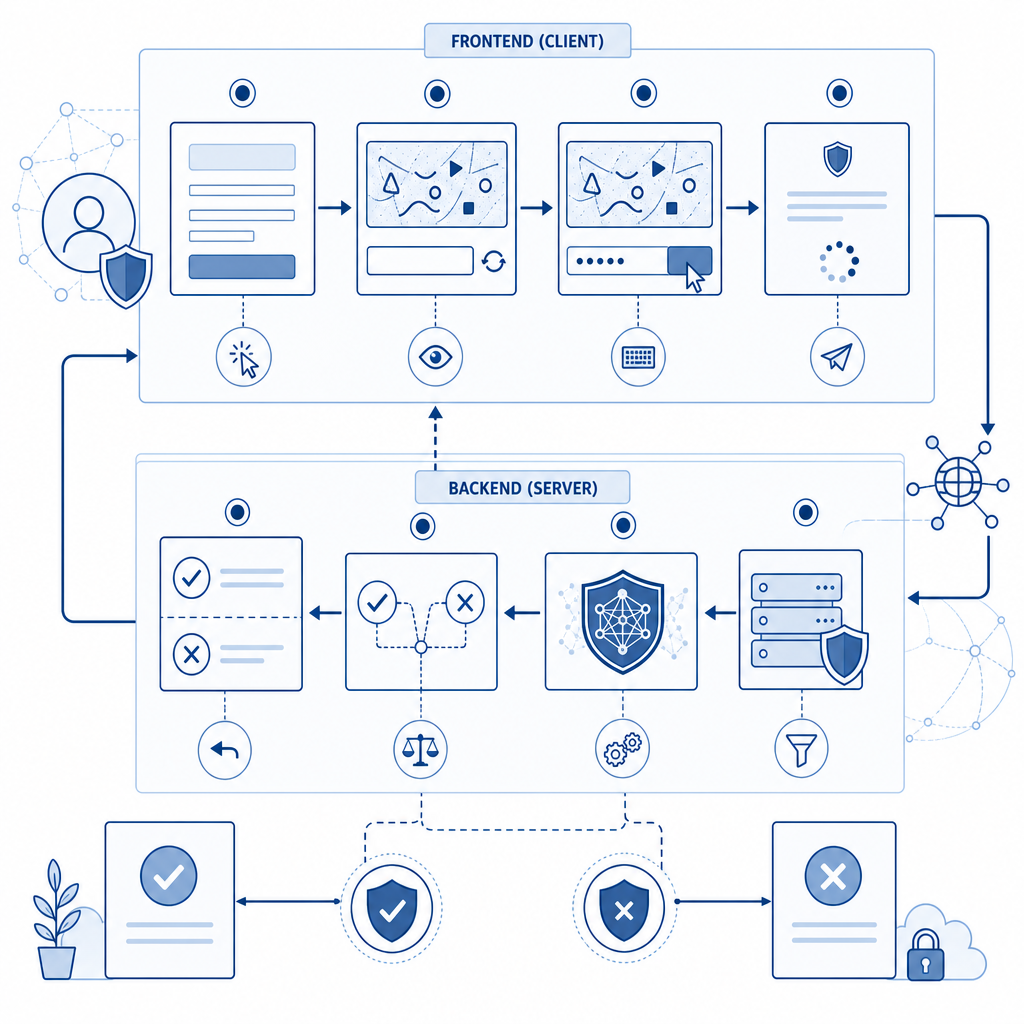
For example, with CaptchaLa, validate the token server-side by sending a POST request to:
POST https://apiv1.captcha.la/v1/validate
Headers: X-App-Key, X-App-Secret
Body: { pass_token: captchaToken, client_ip: userIp }
The server confirms token authenticity to block bots effectively.
Key Considerations When Choosing an Angular Captcha NPM Solution
- Privacy & Data Handling: reCAPTCHA sends data to Google, which may concern privacy. CaptchaLa offers first-party data options ensuring no third-party data sharing.
- User Experience: Invisible or low-friction captchas reduce abandonment. Turnstile and CaptchaLa offer different UX strategies that might suit you better.
- Supported Platforms: Beyond Angular web apps, CaptchaLa supports iOS, Android, Flutter, and Electron via native SDKs — useful if you have multi-platform apps.
- Pricing & Quotas: Free tiers vary significantly. reCAPTCHA and Turnstile often have unlimited use; CaptchaLa’s generous free tier (1000 verifications/month) scales up well for businesses at reasonable prices.
- Security: Ensure the server-side validation method is secure and correctly implemented to avoid token spoofing.
Tips for Smooth Angular Captcha Integration
- Lazy Load CAPTCHA: Load the CAPTCHA script dynamically to reduce initial bundle size and speed up your app.
- Error Handling: Properly handle captcha errors like token expiration or network failures to prevent user frustration.
- Localization: Use the package's language features to match your app’s UI language; CaptchaLa supports 8 UI languages natively.
- Retry Logic: Allow users to refresh or retry CAPTCHA challenges if problems occur.
- Accessibility: Choose captchas with accessible audio or visual options for compliance and broader usability.
Comparing CaptchaLa with Other Angular CAPTCHA Solutions
| Feature | CaptchaLa | reCAPTCHA (ng-recaptcha) | hCaptcha (ngx-hcaptcha) | Turnstile (ngx-turnstile) |
|---|---|---|---|---|
| Angular support | Custom integration & docs | Official Angular wrapper | Community Angular wrapper | Community wrapper available |
| Data privacy | First-party only | Google data sharing | Third-party data collection | Cloudflare data sharing |
| Free tier | 1000/month | Unlimited | Limited free tier | Unlimited |
| SDK support | Web + Native SDKs (iOS, Android, Flutter, Electron) | Web only | Web only | Web only |
| Pricing tiers | Pro & Business plans available | Free | Paid plans | Free |
| CAPTCHA type | Image/audio puzzles | Image selection & invisible | Image-based | CAPTCHA-less challenge |
All providers can protect Angular apps well. CaptchaLa distinguishes itself with extended native SDKs for mobile and desktop as well as a focus on privacy and configurable tiers.
If you want to get started with an Angular captcha npm integration that balances privacy, usability, and broad platform support, consider exploring CaptchaLa. Their docs provide comprehensive guides, and their pricing scales from a free tier to high-volume business use at competitive rates. Protect your app’s forms and users with a well-integrated CAPTCHA solution tailored to Angular and your backend, keeping automation threats at bay.
For complete details on integrating CaptchaLa or other npm Angular captcha packages, visit the CaptchaLa documentation and review the pricing options to find the best fit for your project.