
If you need an angular 20 captcha, the short answer is: use a challenge that verifies human interaction without forcing your app into a clunky form flow. In practice, that means loading a lightweight widget, handling the token in your Angular component or service, and validating it on your server before you trust the submission.
Angular 20 makes that easier because the framework’s component model, signals, and standalone patterns pair well with a CAPTCHA that behaves like any other UI dependency. The important part is not just “showing a CAPTCHA,” but keeping bot defense aligned with your forms, API boundaries, and user experience.
What an Angular 20 CAPTCHA should do
A good CAPTCHA integration in Angular 20 should do three things well:
- Fit the component lifecycle so you can render, reset, and revalidate cleanly.
- Pass a verifiable token to your backend instead of trusting client-side checks.
- Minimize friction for real users, especially on mobile and accessibility-sensitive flows.
That last point matters. Many teams compare options like reCAPTCHA, hCaptcha, and Cloudflare Turnstile based on friction, brand familiarity, or privacy posture. Those are all valid considerations. The better question is which one fits your application architecture and operational needs.
For Angular specifically, a practical integration usually looks like this:
- A form component renders the CAPTCHA near submission.
- The CAPTCHA returns a pass token.
- Your API receives the token and the client IP.
- The backend validates the token before accepting the request.
CaptchaLa follows that pattern and supports a Web integration plus native SDKs for Web (JS/Vue/React), iOS, Android, Flutter, and Electron. It also offers server SDKs for captchala-php and captchala-go, which can save time if your stack is mixed.
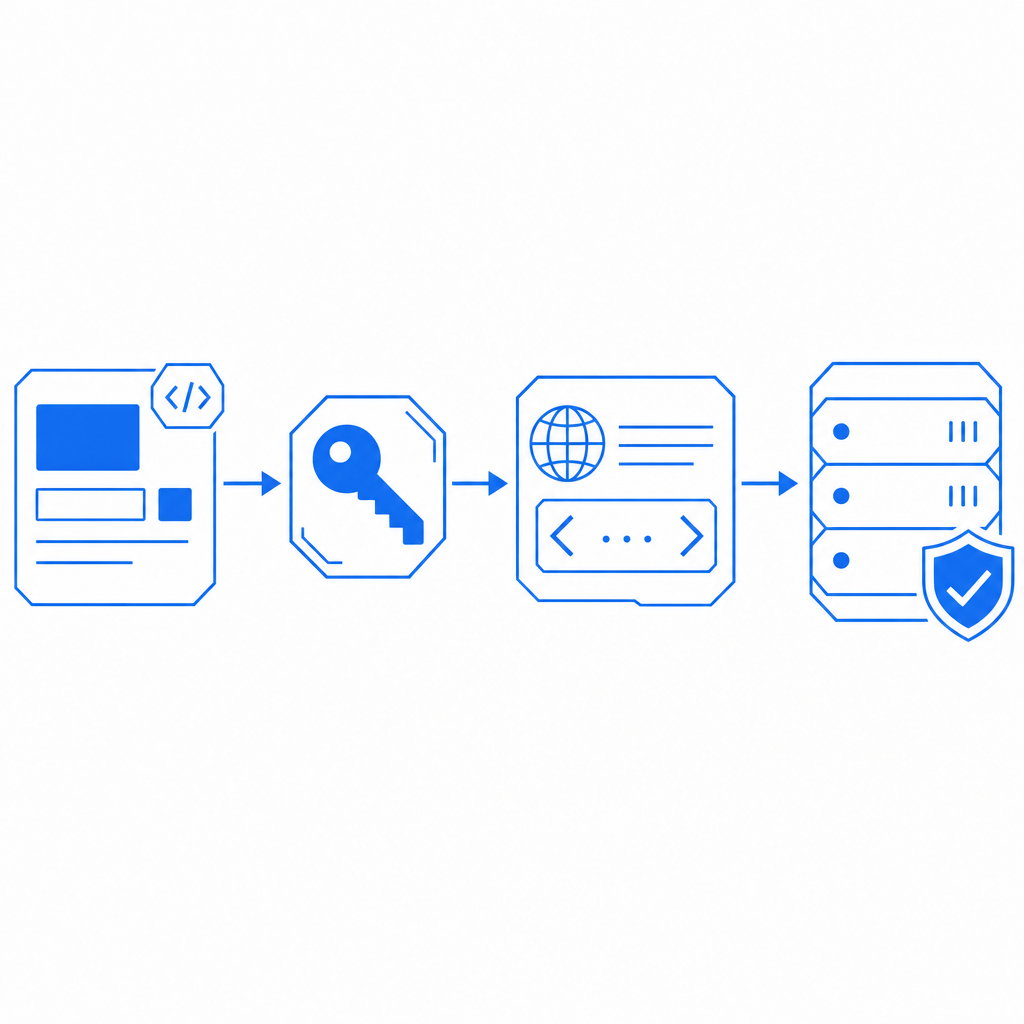
How to wire it into Angular 20
The cleanest Angular 20 implementation is to treat CAPTCHA as a normal form dependency rather than a special case. That usually means isolating it in a reusable component or directive and keeping validation logic in a service.
A typical flow:
- Load the loader script once.
- Render the widget inside your form component.
- Capture the returned
pass_token. - Submit the token with the form payload.
- Verify it on the server using your secret credentials.
- Reject the request if validation fails or times out.
Here is a simple client-side outline:
// English comments only

import { Component } from '@angular/core';
import { HttpClient } from '@angular/common/http';

@Component({
  selector: 'app-signup-form',
  standalone: true,
  template: `
    <form (ngSubmit)="submit()" #form="ngForm">
      <input name="email" [(ngModel)]="email" required />

      <!-- CAPTCHA mount point -->
      <div id="captcha-slot"></div>

      <button type="submit">Create account</button>
    </form>
  `
})
export class SignupFormComponent {
  email = '';
  passToken = '';

  constructor(private http: HttpClient) {}

  ngOnInit() {
    const script = document.createElement('script');
    script.src = 'https://cdn.captcha-cdn.net/captchala-loader.js';
    script.async = true;
    script.onload = () => {
      // Initialize your CAPTCHA widget here
      // Save the returned pass token in passToken
    };
    document.head.appendChild(script);
  }

  submit() {
    this.http.post('/api/signup', {
      email: this.email,
      pass_token: this.passToken
    }).subscribe();
  }
}
On the backend, validation should happen with a server-to-server call. CaptchaLa’s validation endpoint is:
POST https://apiv1.captcha.la/v1/validate
Use a body like:
{ "pass_token": "token-from-client", "client_ip": "203.0.113.10" }And include X-App-Key plus X-App-Secret in the request headers. That separation is important: the Angular app collects the token, but the backend decides whether it is trustworthy.
If you also need a server-issued challenge flow, the endpoint is:
POST https://apiv1.captcha.la/v1/server/challenge/issue
That can be useful when you want tighter backend control over challenge issuance and validation.
Picking the right CAPTCHA approach for your Angular app
Angular apps vary a lot: a marketing site may need only a signup form gate, while a SaaS dashboard may need repeated checks around invites, password resets, or contact forms. So the “right” CAPTCHA depends on how often users hit protected paths and how much friction you can tolerate.
Here’s a simple comparison:
| Option | Typical integration style | UX impact | Notes |
|---|---|---|---|
| reCAPTCHA | Widget or invisible challenge | Low to medium | Widely recognized; often chosen for familiarity |
| hCaptcha | Widget or score-based flows | Low to medium | Common privacy-oriented alternative |
| Cloudflare Turnstile | Invisible or low-friction challenge | Low | Often used when minimizing user interruption matters |
| CaptchaLa | Loader + token validation | Low | Supports multiple UI languages and several SDK targets |
A few Angular-specific considerations:
- SSR and hydration: If you use Angular Universal or partial SSR, make sure the CAPTCHA loads only on the client.
- Route reuse: If your form component survives route changes, ensure the token resets when the form resets.
- Accessibility: Keep the CAPTCHA near the submit button, but not buried in a layout where keyboard users lose context.
- Localization: If your product is multilingual, select a CAPTCHA with adequate UI language coverage. CaptchaLa provides 8 UI languages, which can simplify matching the widget to your app locale.
This is also where first-party data practices matter. If your organization wants to minimize third-party data sharing, review what your CAPTCHA provider collects and how it is processed. Some teams choose CaptchaLa specifically because they want a bot-defense layer that stays closer to their own data and application flow.
Implementation details that matter in production
A CAPTCHA that works in a demo can still fail in production if you overlook operational details. For Angular 20, the most common mistakes are around token reuse, server trust boundaries, and environment-specific loading.
A production-ready checklist:
- Load the widget once per page view. Avoid duplicate script injection in nested components.
- Treat the token as short-lived. If the form sits open for a long time, refresh or reissue before submit.
- Validate on the server only. Never accept a CAPTCHA decision made solely in the browser.
- Send the client IP when required. Many risk checks improve when the server can compare token context and request origin.
- Fail closed on validation errors. If the validation endpoint is unavailable, do not silently bypass protection.
- Log validation outcomes. Track pass, fail, and timeout rates so you can tune UX and abuse controls.
- Test bot-heavy endpoints separately. Signup, login, contact, and password reset endpoints often need different thresholds.
If your stack includes Java, iOS, Flutter, or Android clients alongside Angular, it can be helpful to standardize on one bot-defense provider across channels. CaptchaLa publishes package versions such as Maven la.captcha:captchala:1.0.2, CocoaPods Captchala 1.0.2, and pub.dev captchala 1.3.2, which makes multi-platform rollout more straightforward.
For backend teams, the server SDKs captchala-php and captchala-go can reduce boilerplate around validation calls. That is especially useful when your Angular app talks to a PHP or Go API that already owns authentication and account creation.
When to choose a lighter or heavier setup
Not every app needs the same level of challenge intensity.
A lighter setup is usually enough when:
- You only need to protect a few public forms.
- Your traffic is mostly authenticated or low volume.
- You want the least possible interruption for real users.
A heavier setup can make sense when:
- You see scripted signups, credential stuffing, or form spam.
- You operate high-value endpoints like account recovery or invite creation.
- Your abuse traffic changes quickly and you want stronger controls at the server layer.
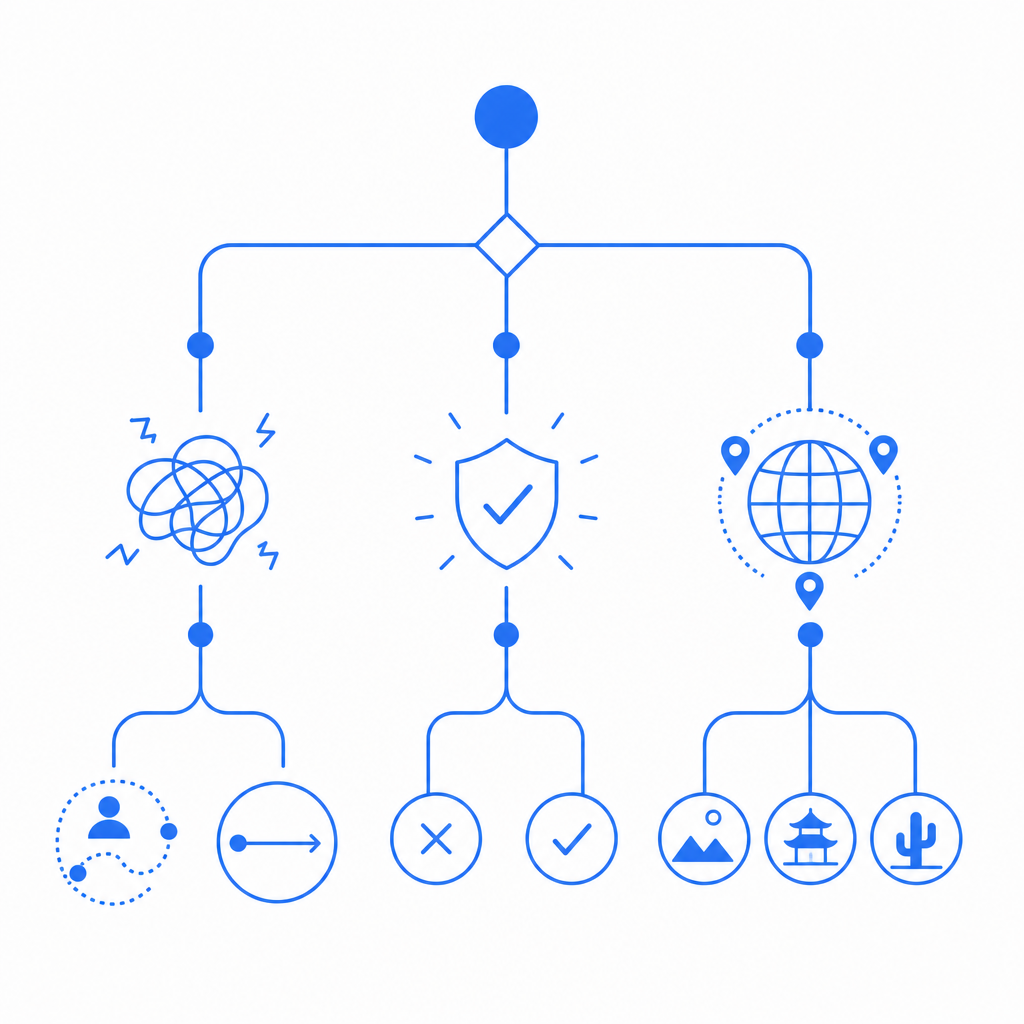
For many teams, a tiered policy works best: use a low-friction challenge on common forms, then escalate on suspicious behavior or sensitive actions. That keeps the Angular UX clean while still protecting the parts of the app that matter most.
You can also align this with plan sizing and traffic growth. CaptchaLa lists a free tier at 1000 monthly interactions, Pro at 50K–200K, and Business at 1M. That makes it easier to start small and scale without reworking your integration later. If you want to inspect the technical docs before implementing, start with the docs.
Final thoughts
An Angular 20 CAPTCHA should feel like part of your app, not an obstacle bolted onto the side. The best implementations are simple on the client, strict on the server, and chosen with your traffic patterns in mind. Whether you compare reCAPTCHA, hCaptcha, Cloudflare Turnstile, or a newer provider, the real test is how reliably it protects your forms without adding unnecessary friction.
Where to go next: review the docs for integration details, or compare plans on pricing if you expect meaningful traffic growth.