
An android browser with fingerprint is simply a browser on Android that exposes enough device and environment signals to help distinguish one real user session from another. For defenders, that means you can look at a combination of attributes—browser engine, screen characteristics, timezone, language, hardware hints, and behavioral consistency—to reduce fraud and bot traffic without relying on a single brittle signal.
The important part is not the fingerprint alone, but how stable and trustworthy it is. On Android, browsers and webviews can vary a lot across manufacturers, OS versions, WebView updates, and privacy settings, so a practical approach is to treat fingerprinting as one input among many rather than a magic identifier.

What a browser fingerprint on Android really is
A browser fingerprint is a bundle of attributes collected from the client side and evaluated together. On Android, this often includes signals that are more variable than on desktop, which is why simple device matching can be noisy.
Common fingerprint components include:
- User agent and client hints
- Screen resolution, pixel ratio, and orientation behavior
- Timezone and locale
- Canvas or WebGL characteristics
- Audio and font-related hints
- Touch support and input patterns
- Browser family and WebView version
- Network and session consistency
On Android, these signals are especially affected by:
- OEM customization
- Chromium-based browser differences
- WebView updates shipped outside the OS release cycle
- Privacy hardening features
- App-to-browser context changes, such as in-app browsers or embedded WebViews
That means an Android fingerprint is usually best understood as a probabilistic profile, not a fixed device serial number. Two sessions from the same phone can look different if the browser changes, while two separate devices can appear oddly similar if they share common Android defaults.
Why defenders care
For fraud and bot mitigation, the value is in correlation. If a login attempt, signup, or checkout event comes from an Android browser that has a fingerprint matching a known abuse pattern, or that conflicts with the session’s claimed geography and behavior, you can raise risk or require a challenge.
That is especially useful when CAPTCHA alone is not enough. A puzzle may stop some automated traffic, but fingerprint consistency helps you decide which requests deserve friction and which should flow through silently.
Android makes fingerprinting useful, but less deterministic
Android is a huge ecosystem, so the same browser fingerprint field can mean different things depending on device class, browser type, or app wrapper. A defender should expect variance.
Here is a practical comparison:
| Signal area | Desktop browser | Android browser |
|---|---|---|
| Hardware diversity | Moderate | High |
| OS/browser update timing | More synchronized | Often fragmented |
| WebView behavior | Less common | Very common |
| Screen metrics stability | Usually stable | Can change with rotation, notch, foldables |
| Input behavior | Mouse/keyboard dominant | Touch, gesture, and mixed input |
| Fingerprint reliability | Often higher | More probabilistic |
This does not make Android fingerprinting useless. It just means the signal needs context. For example, a fingerprint mismatch after a legitimate browser update is normal. A mismatch combined with high request velocity, repeated failures, and disposable network patterns is a stronger indicator of abuse.
What to watch for
Defenders often focus on these patterns:
- Sudden changes in browser family without a matching session migration
- Reused fingerprints across many distinct accounts
- Impossible combinations, such as locale, timezone, and navigation timing that do not align
- Repeated challenge failures from what appears to be the same Android fingerprint cluster
- High similarity across many sessions from different IPs within a short window
That last point matters because modern abuse often rotates IPs faster than fingerprints. If you only track network identity, you can miss coordinated behavior. If you only track fingerprinting, you can overfit and annoy genuine users. The sweet spot is combining both.
How to use Android browser fingerprints safely
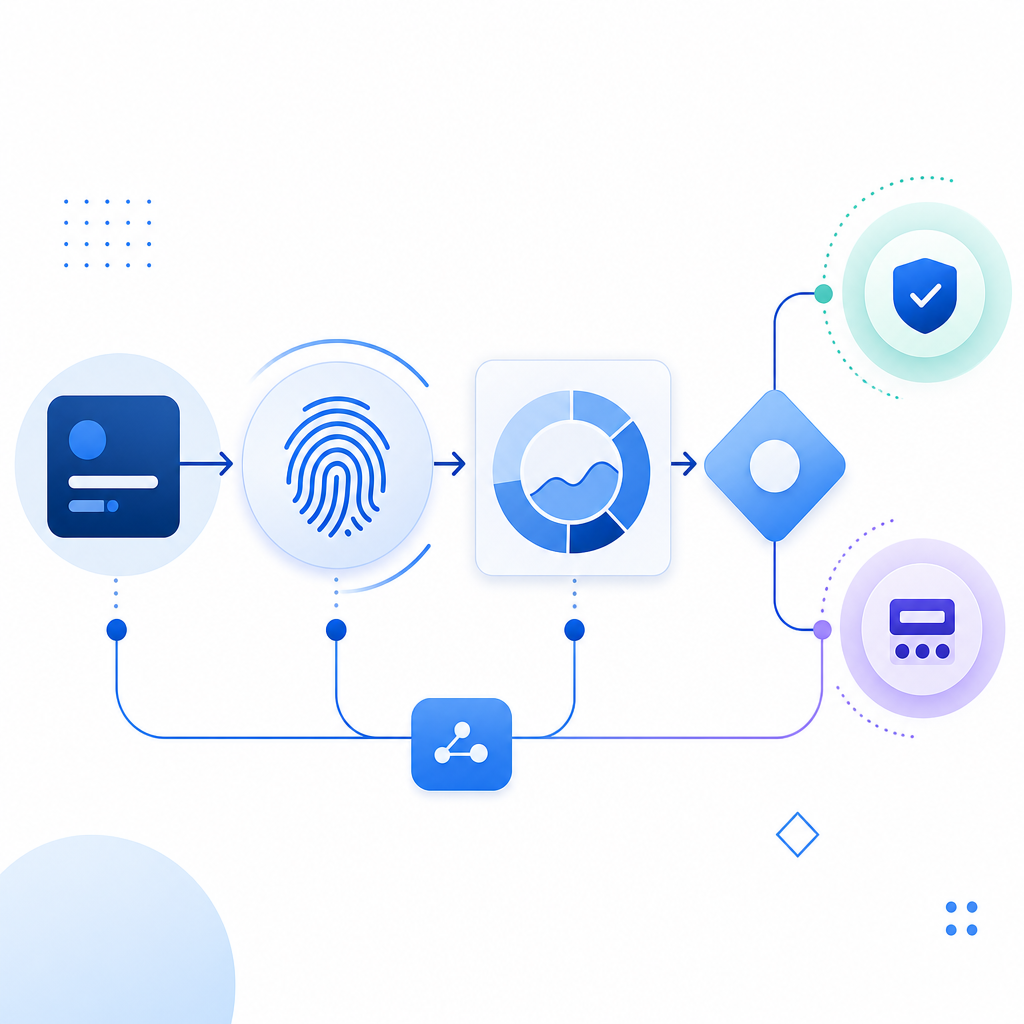
The safest approach is to use fingerprinting as part of a layered defense, with clear data minimization and server-side validation. For teams building on first-party data, this keeps the system more resilient and easier to reason about.
A practical workflow looks like this:
- Collect only the signals you actually need for risk evaluation.
- Normalize them into a session-scoped fingerprint or risk profile.
- Compare the current profile to recent history for that account or action.
- Combine fingerprint drift with IP reputation, request rate, and behavior.
- Decide whether to allow, challenge, or block.
- Log the reason so your security team can tune thresholds later.
If you use a CAPTCHA or challenge layer, the fingerprint should not be the only gate. It should help determine when to present friction. That is the model CaptchaLa is designed around: client-side challenge plus server-side verification using first-party data, so your app can make a clean decision without overexposing raw signals.
For backend validation, the pattern is straightforward:
POST https://apiv1.captcha.la/v1/validate
Headers:
  X-App-Key: your_app_key
  X-App-Secret: your_app_secret
Body:
{
  "pass_token": "token_from_client",
  "client_ip": "203.0.113.42"
}
A typical server-side decision might look like this:
if validate(pass_token, client_ip) == true:
    allow_request()
else:
    deny_or_step_up()
If your product already uses challenge flows, CaptchaLa also provides a server-token endpoint for issuing challenge tokens:
POST https://apiv1.captcha.la/v1/server/challenge/issue
And if you need implementation references, the docs cover the SDKs and validation flow in more detail.
Implementation notes for Android teams
If your product includes a native Android app, an embedded browser, or a web flow that must work smoothly on mobile, consistency matters more than raw signal count. CaptchaLa supports native SDKs for Web, iOS, Android, Flutter, and Electron, which helps teams keep the challenge experience aligned across platforms.
Relevant package options include:
- Maven:
la.captcha:captchala:1.0.2 - CocoaPods:
Captchala 1.0.2 - pub.dev:
captchala 1.3.2 - Server SDKs:
captchala-php,captchala-go
For web delivery, the loader is served from:
https://cdn.captcha-cdn.net/captchala-loader.js
If you are choosing between challenge providers, the main question is usually not “which one fingerprints Android better?” but “which one fits my risk model, UX constraints, and infrastructure?” reCAPTCHA, hCaptcha, and Cloudflare Turnstile each have their own tradeoffs in integration style, user friction, and operational tuning. The right choice depends on whether you want more visible challenge handling, lighter friction, or a different balance between privacy and control.
A simple rule of thumb:
- Use fingerprinting to improve confidence
- Use CAPTCHA/challenge to confirm suspicious sessions
- Use server verification to keep the decision authoritative
- Use rate limiting and abuse heuristics to catch what fingerprints miss
If you are evaluating rollout cost, CaptchaLa’s published tiers include a free tier at 1000 monthly validations, Pro at 50K–200K, and Business at 1M. That makes it easier to test your Android flows before committing to a larger deployment. See pricing for the current plan structure.
Conclusion: fingerprints are signals, not identities
An android browser with fingerprint is most useful when you treat it as a risk signal that evolves with the session, not as a permanent label. Android’s diversity makes fingerprints noisy, but that same diversity gives defenders valuable context when they combine it with behavior, validation, and server-side controls.
If you are designing or tuning bot defense for Android traffic, start with a small set of first-party signals, validate them on the server, and measure how often your decisions help or hurt legitimate users. That will tell you far more than any single fingerprint score.
Where to go next: review the docs or compare usage tiers on pricing.