
Traditional CAPTCHAs can sometimes disrupt user experience with frustrating puzzles or accessibility challenges. If you're exploring an alternative to CAPTCHA that still offers strong bot defense without the typical annoyances, you’ll want to understand the options available, how they work, and their trade-offs. This guide walks through viable CAPTCHA alternatives, comparing their pros and cons to help you choose the right solution for your website or app.
Why Seek an Alternative to CAPTCHA?
CAPTCHAs—those distorted text images or image-recognition challenges—have been the default anti-bot tool for years. However, they present challenges such as:
- Poor user experience: Many users find CAPTCHAs tedious or confusing.
- Accessibility issues: CAPTCHA puzzles often hinder users with disabilities.
- Advanced bots: Modern bots increasingly bypass traditional CAPTCHAs using AI.
- Privacy concerns: Popular CAPTCHA services like Google reCAPTCHA collect user data for profiling.
Because of these limitations, developers and security teams are looking for CAPTCHA alternatives that:
- Provide seamless user experience
- Maintain strong bot detection accuracy
- Respect user privacy through first-party data handling
- Offer easy integration and multi-language support
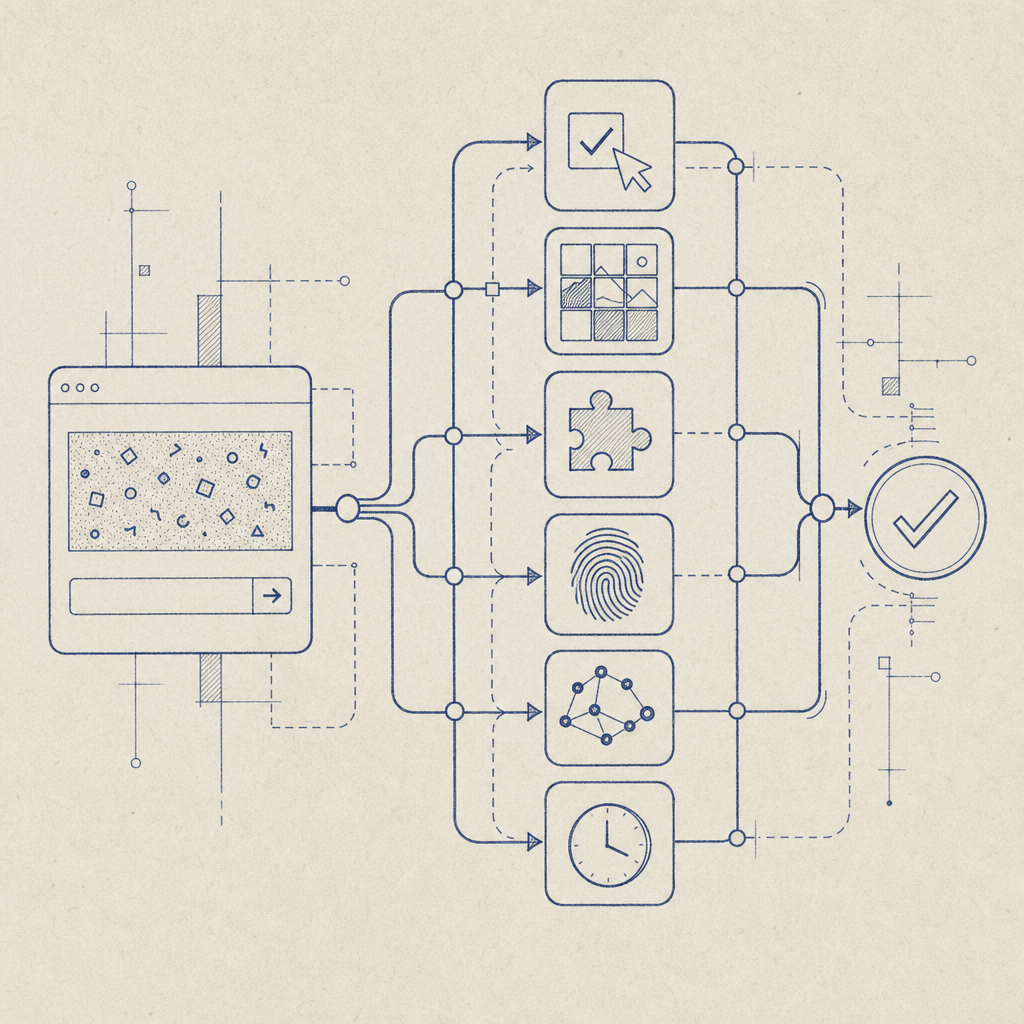
Before diving into options, here’s a quick comparison highlighting different approaches.
CAPTCHA Alternatives Comparison Table
| Alternative | How It Works | Advantages | Challenges | Examples |
|---|---|---|---|---|
| Invisible CAPTCHA | Monitors user behavior behind scenes | No user interaction needed | Can be fooled by sophisticated bots | Cloudflare Turnstile |
| Behavioral Analysis | Tracks mouse movements, keystrokes | Good UX, adaptive detection | Data privacy questions | CaptchaLa |
| Honeypot Fields | Hidden form fields trap bots | Simple, no user friction | Less effective for smart bots | Many form plugins |
| Time-Based Checks | Checks fill time to detect bots | Passive, low friction | Bots can mimic times | Built-in form components |
| Device Fingerprinting | Collects device/browser info | Adds context to requests | Privacy/consent requirements | hCaptcha, some SaaS providers |
Behavioral Analysis as a Practical Alternative
One compelling alternative to CAPTCHA is behavioral analysis. Rather than forcing users to solve puzzles, this method quietly studies user interactions—mouse movements, click patterns, typing rhythms—to differentiate humans from bots. The approach works because bots often generate more robotic, predictable inputs.
How Behavioral Analysis Works
- Data Collection: When a user interacts with your site, sensors capture detailed behavioral signals.
- Risk Scoring: An algorithm evaluates this data in real-time to assign a bot-likelihood score.
- Response Decision: If the risk is low, the user passes seamlessly. High-risk activity triggers additional verification or blocks.
This passive approach removes friction from most users’ experience while maintaining robust defenses.
Real-World Implementation
CaptchaLa offers behavioral analysis combined with advanced server-side validation. It supports eight UI languages and multiple client SDKs for easy integration into Web (JS, Vue, React), iOS, Android, Flutter, and Electron applications. Developers can validate user tokens securely with API endpoints like:
// Validate user challenge token example (pseudocode)
// Inputs: pass_token from client, user IP address
POST https://apiv1.captcha.la/v1/validate
Headers: X-App-Key, X-App-Secret
Body: {
  "pass_token": "userTokenHere",
  "client_ip": "192.0.2.1"
}
This method avoids intrusive puzzles and leverages first-party data only, alleviating privacy concerns common with third-party CAPTCHA services.
Other Alternatives to Consider
1. Invisible CAPTCHA and Zero-Interaction Solutions
Tools like Cloudflare Turnstile use invisible verification that runs behind the scenes, scanning signals and returning an immediate yes/no without bothering the user. They’re easy to plug in but generally rely on third-party data collection, which might not be ideal for privacy-conscious businesses.
2. Honeypot Fields
The honeypot technique adds hidden form fields that users never see but bots fill automatically. If a hidden field contains input on submission, the system flags or blocks the submission as a bot. This method is straightforward and invisible to users but can be circumvented by sophisticated bots programmed to recognize honeypots.
3. Time-Based Submissions
Bots tend to submit forms much faster than humans. Setting a minimum time threshold between page load and form submission can help catch bots automatically. However, advanced bots may simulate human delays, so this isn’t a standalone solution.
Choosing the Right Alternative for Your Use Case
Selecting an alternative depends on your priorities:
- If user experience is key: Choose behavioral analysis or invisible CAPTCHA to minimize disruptions.
- If privacy is a top concern: Prefer tools like CaptchaLa that use first-party data and transparent server validation.
- If you want simple deployment: Honeypots and time checks are low-effort but less reliable.
- If you prefer open-source or self-hosting: Consider solutions that don’t rely heavily on external services.
The following list summarizes key factors you should assess:
- Security Level: How resilient is the solution against sophisticated bots?
- User Experience: Does it require any user interaction or impact accessibility?
- Privacy Compliance: Does it collect or share user data with third parties?
- Integration Effort: Are there SDKs or APIs available for your platform?
- Language Support: Is it available in the languages your users speak?
Summary
Finding an effective alternative to CAPTCHA means balancing bot protection with usability and privacy. Techniques like behavioral analysis, invisible CAPTCHA, honeypots, and time-based checks offer different trade-offs to suit varied needs.
CaptchaLa, for example, provides a low-friction alternative that uses behavioral signals combined with secure, server-side token validation—supporting multiple SDKs and languages while focusing on user privacy.

If you want to explore these CAPTCHA alternatives in detail, check out CaptchaLa’s documentation or learn about their pricing plans to see how these options can fit your project's scope and budget.