
AJ CAPTCHA Flutter usually means one thing: you want CAPTCHA-style bot protection working cleanly in a Flutter app without turning the signup or login flow into a mess. The good news is that Flutter fits this pattern well, especially if you keep the client side lightweight and push trust decisions to your server.
If you’re comparing options, the real question isn’t “can Flutter show a challenge?” It’s “how do I verify a token securely, keep the UX smooth, and avoid building a brittle custom anti-bot stack?” That’s where a modern CAPTCHA service helps: the app requests a challenge, receives a pass token, and your backend validates it before allowing the sensitive action.
What AJ CAPTCHA Flutter usually means in practice
The term itself is a bit fuzzy, but in practice it almost always refers to adding CAPTCHA protection to a Flutter app. That can mean login protection, signup screening, contact forms, coupon claim flows, or any endpoint that attracts automated abuse.
For Flutter teams, the shape of the integration matters more than the brand name on the widget. A good implementation should:
- Work on both iOS and Android with one code path.
- Minimize visual disruption so the app still feels native.
- Return a token your backend can validate.
- Support server-side enforcement, not just client-side display.
- Keep private secrets off the device.
That last point is important. A Flutter client can initiate a challenge, but it should not be the source of truth. The device can be modified, emulated, or proxied. Your backend is where you decide whether the request is trustworthy.
If you want to keep the integration straightforward, CaptchaLa provides native SDKs for Flutter alongside Web, iOS, Android, and Electron, plus server SDKs for PHP and Go. It also supports 8 UI languages, which is helpful if your app serves a global audience.
A practical Flutter integration flow
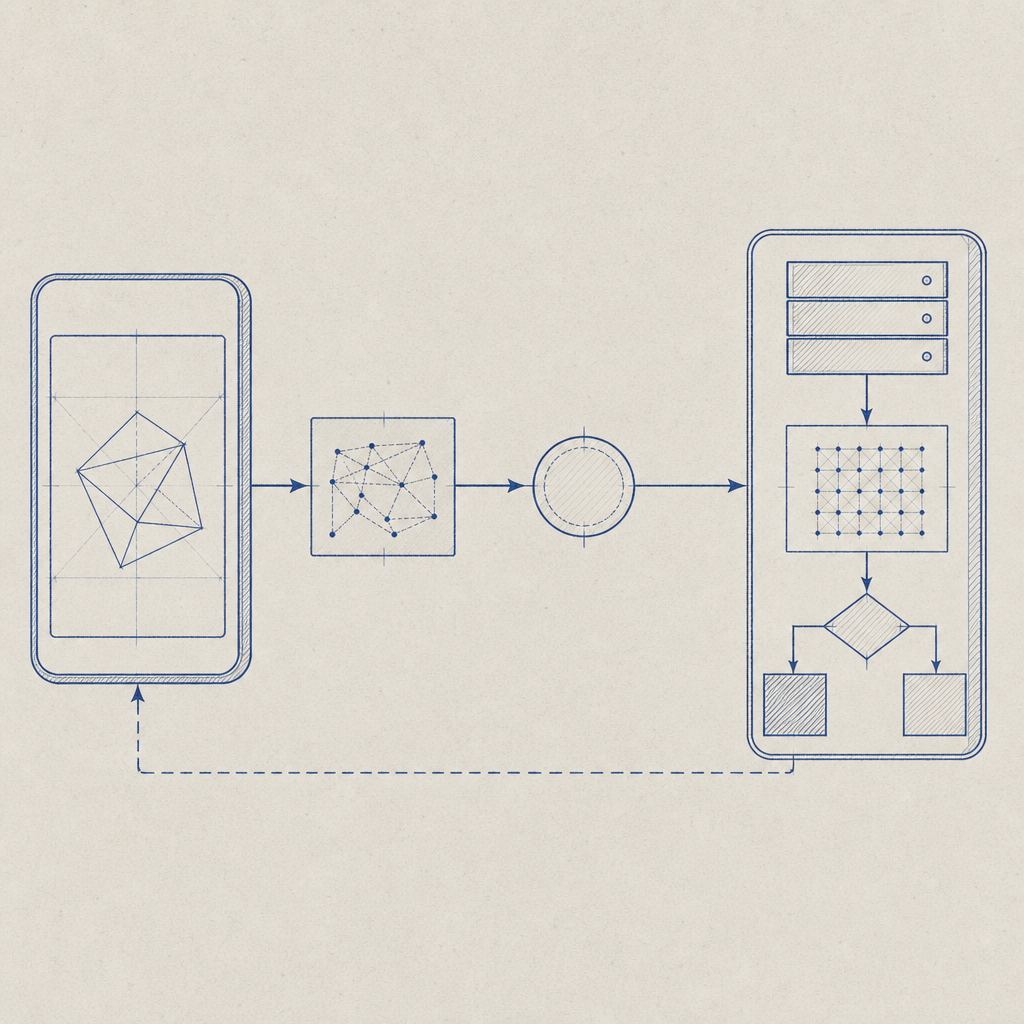
A clean Flutter setup usually has three steps: load the challenge, collect the pass token, and validate it on the server. You can think of it as a handshake between the app and your API.
Here’s the sequence in plain terms:
- The Flutter app requests a challenge session.
- The CAPTCHA UI appears and the user completes it.
- The client receives a
pass_token. - The app sends that token to your backend with the action it is protecting.
- The backend validates the token with the CAPTCHA provider.
- Your API allows or denies the request based on the validation result.
If you’re using CaptchaLa, the Flutter package is available on pub.dev as captchala 1.3.2. The server-side validation endpoint is:
POST https://apiv1.captcha.la/v1/validate
The validation body includes:
{
  "pass_token": "string",
  "client_ip": "string"
}
And the request includes X-App-Key and X-App-Secret headers.
A compact backend example might look like this:
// English comments only
async function validateCaptcha(passToken, clientIp) {
  const response = await fetch("https://apiv1.captcha.la/v1/validate", {
    method: "POST",
    headers: {
      "Content-Type": "application/json",
      "X-App-Key": process.env.CAPTCHALA_APP_KEY,
      "X-App-Secret": process.env.CAPTCHALA_APP_SECRET,
    },
    body: JSON.stringify({
      pass_token: passToken,
      client_ip: clientIp,
    }),
  });

  if (!response.ok) {
    return { allowed: false };
  }

  const data = await response.json();
  return { allowed: data.valid === true };
}
This pattern keeps the trust boundary where it belongs. The client gathers the token; the server decides whether it counts.
Flutter SDK options and where they fit
Not every project needs the same integration depth. If you’re deciding how to wire this into your app, it helps to compare common approaches.
| Option | Good for | Notes |
|---|---|---|
| Flutter SDK | Mobile apps with one shared codebase | Best fit for native-feeling challenge flow |
| Web JS SDK | Flutter web or hybrid frontends | Useful if your app also ships in the browser |
| iOS / Android native SDKs | Teams with platform-specific hooks | Helpful if you need custom app lifecycle control |
| Server SDKs | Backend validation | Keeps secrets and trust checks off-device |
CaptchaLa also provides a loader script at https://cdn.captcha-cdn.net/captchala-loader.js for web-based flows. That matters if your Flutter project includes Flutter Web or a companion portal that shares the same anti-bot policy.
For teams already using native mobile tooling elsewhere, the packaging details are straightforward too:
- Maven:
la.captcha:captchala:1.0.2 - CocoaPods:
Captchala 1.0.2 - pub.dev:
captchala 1.3.2
That makes mixed stacks easier to standardize. You can keep the same challenge policy across Flutter, native mobile, and backend services without stitching together unrelated vendors.
How it compares with reCAPTCHA, hCaptcha, and Cloudflare Turnstile
People often ask whether a Flutter CAPTCHA integration should use reCAPTCHA, hCaptcha, or Cloudflare Turnstile instead. The honest answer is that all three are valid depending on your constraints.
Here’s a practical comparison from a Flutter and backend perspective:
| Service | Strengths | Tradeoffs |
|---|---|---|
| reCAPTCHA | Familiar, widely documented | Can feel more Google-centric and sometimes heavier in UX tuning |
| hCaptcha | Good abuse protection options | May require more UX care depending on audience |
| Cloudflare Turnstile | Lightweight and user-friendly | Best fit when you’re already aligned with Cloudflare’s stack |
| CaptchaLa | Native SDKs for Flutter, iOS, Android, Web, Electron; server-side validation | Smaller ecosystem than the largest incumbents, but direct integration is simple |
The main point is not that one is universally superior. It’s that you want a provider that matches your deployment shape. If your app is Flutter-first and you want a clean token-validation model with first-party data only, CaptchaLa is a reasonable option to evaluate.
You should also think about operational fit:
- Do you need a mobile SDK that behaves predictably in production?
- Do you want a backend endpoint you can call directly?
- Do you need support for multiple UI languages?
- Are you trying to avoid extra complexity in client code?
- Do you need pricing that scales from hobby projects to serious traffic?
CaptchaLa’s published tiers make that easy to estimate: Free at 1,000 monthly requests, Pro at 50K–200K, and Business at 1M. If you want to compare the ranges against your traffic, pricing is the place to start.
Implementation details that prevent headaches
The implementation itself is usually simple, but a few technical details save a lot of debugging later.
1. Validate on the server, always
Never trust a client-only success signal. A passed challenge should still be verified by your backend before you create an account, issue a reset link, or approve a high-value form submission.
2. Bind the token to the request context
When possible, pass the client IP to validation so the server can evaluate the token in context. This reduces the chance of replay-style abuse and helps your backend make a better decision.
3. Keep secrets out of Flutter code
Your X-App-Secret belongs on the server. Flutter apps are distributed to end users, so anything embedded in the client should be treated as inspectable.
4. Treat failure as a normal state
Mobile networks fail. Challenge renderers can time out. Token validation can be denied. Make sure your UI explains the retry path without blocking the entire app.
5. Log the right signals
At minimum, record the protected action, validation result, timestamp, and any server-side reason codes you receive. That makes it much easier to distinguish real users from automated noise.
If you want a reference while wiring things up, the docs are the best place to confirm the request format and SDK usage details.

A sensible rollout plan for a Flutter app
If you’re adding CAPTCHA to an existing Flutter product, don’t start by protecting everything. Pick one endpoint that is both valuable and easy to measure.
A practical rollout looks like this:
- Start with signup, password reset, or contact forms.
- Add the Flutter SDK and verify the happy path end to end.
- Send the pass token to your API and validate it server-side.
- Monitor false positives and completion rates.
- Expand to other abuse-prone actions if the signal is strong.
This keeps the project manageable and gives you real data before you harden more surfaces. In many products, a small number of endpoints account for most bot pressure, so you get meaningful protection without adding friction everywhere.
If you’re evaluating vendors side by side, focus on integration time, validation flow, supported platforms, and how much control you retain on the server. The client experience matters, but the architecture matters more.
Where to go next: if you’re planning an implementation, start with the docs or compare plans on pricing.