
An audio captcha demo usually shows how a site can offer an audible challenge as an alternative to a visual one, so users who can’t easily solve image-based puzzles still have a path forward. For defenders, the real question is less “can we play audio?” and more “how do we make the fallback accessible, difficult for automation to abuse, and easy to verify server-side?”
Audio challenges have been around for a long time because accessibility matters. But they also sit in a tricky spot: if the prompt is too simple, bots can exploit it; if it is too hard, humans get blocked. A good implementation treats the audio flow as one part of a broader anti-abuse system, not the entire defense.
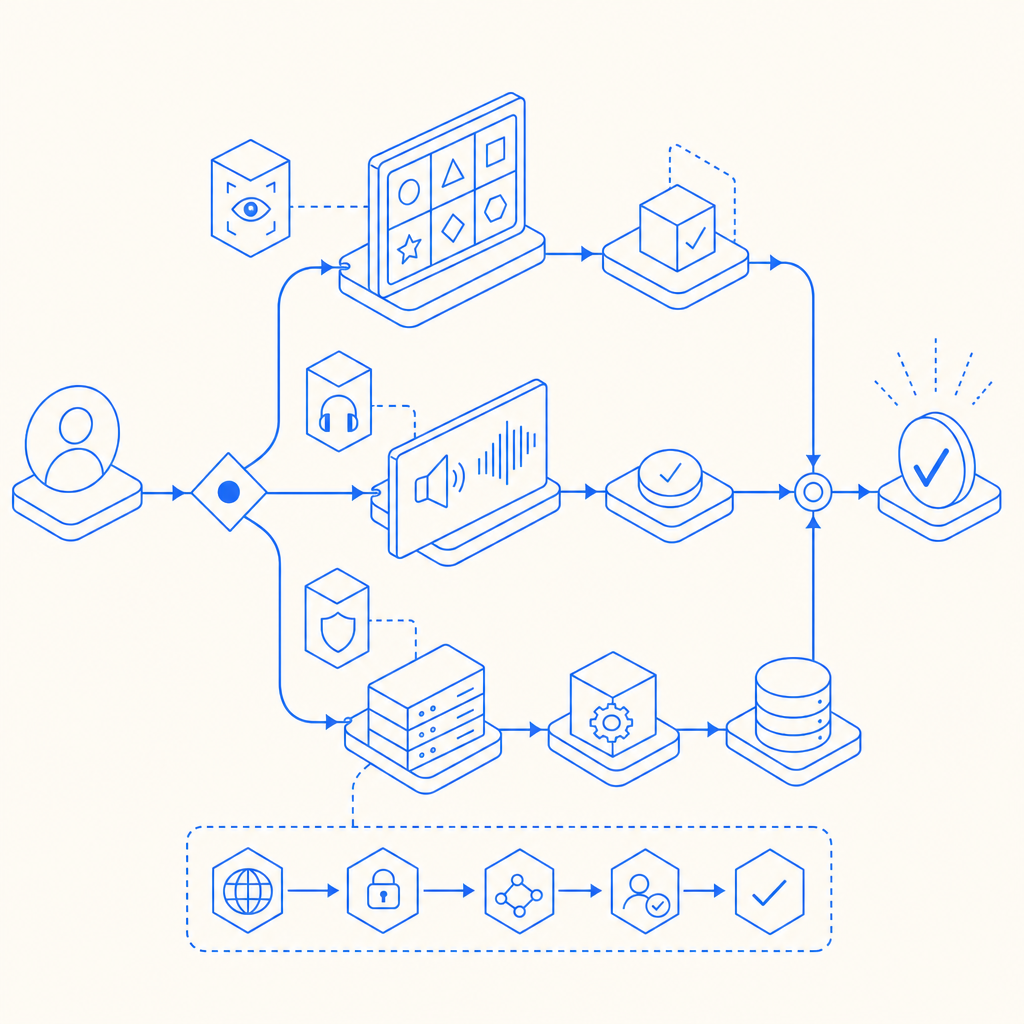
What an audio captcha demo should prove
A useful audio captcha demo should demonstrate three things:
Accessibility fallback
The audio path should be reachable from the visual challenge, work with keyboard-only navigation, and avoid requiring fine motor control or color perception.Challenge lifecycle
The demo should show how a challenge is issued, how the user response is collected, and how the response is validated on the server.Operational fit
It should show where the challenge appears in a real app flow: login, account recovery, signup, checkout, or high-risk API actions.
If a demo only shows a sound clip and a text box, it’s incomplete. The important part is the trust boundary: the browser gathers the user’s response, but the server decides whether the token is valid.
A practical way to think about the flow is:
- Client requests a challenge
- Service returns a tokenized challenge
- User hears audio and responds
- Client sends the pass token to your backend
- Backend validates the token with the CAPTCHA provider
- Your app accepts or rejects the action
That sequence matters because it keeps challenge verification off the client, where it can be altered.
How audio fallback fits into modern bot defense
Audio challenges are best used as a fallback, not as the only defense. That’s true whether you’re comparing them to reCAPTCHA, hCaptcha, or Cloudflare Turnstile. Each has its own approach and tradeoffs:
| Approach | Accessibility path | Verification model | Typical tradeoff |
|---|---|---|---|
| reCAPTCHA | Visual + audio fallback | Token validation | Familiar, but can be frustrating for some users |
| hCaptcha | Visual + audio fallback | Token validation | Flexible, often used for abuse mitigation |
| Cloudflare Turnstile | Usually low-friction, challenge-light | Token validation | Less puzzle-heavy, but still depends on risk signals |
| Custom audio captcha | Audio-only or audio-first | Your own verification logic | More control, but more engineering and maintenance |
For most teams, the better question is not “Should we build an audio captcha from scratch?” but “How much control do we need over accessibility, UX, and verification?”
If you want the audio path to be part of a larger anti-abuse layer, look for support across web and mobile surfaces. CaptchaLa supports 8 UI languages and native SDKs for Web (JS, Vue, React), iOS, Android, Flutter, and Electron, which is useful when the same account system spans browser and app.
Implementation details that matter
A demo can look polished and still be fragile. The details below are the ones that usually determine whether the integration survives real traffic.
1) Keep challenge issuance server-side
Your backend should request or issue the challenge token, then pass only what the client needs to render the interaction.
A common pattern is:
- Client opens a login or signup form
- Backend requests a server token or challenge payload
- Frontend renders the challenge
- User completes the challenge
- Frontend submits the pass token to your backend
- Backend validates it before continuing
For CaptchaLa, the challenge issuance endpoint is:
POST https://apiv1.captcha.la/v1/server/challenge/issueThat keeps the authority on the server side instead of trusting a browser-only decision.
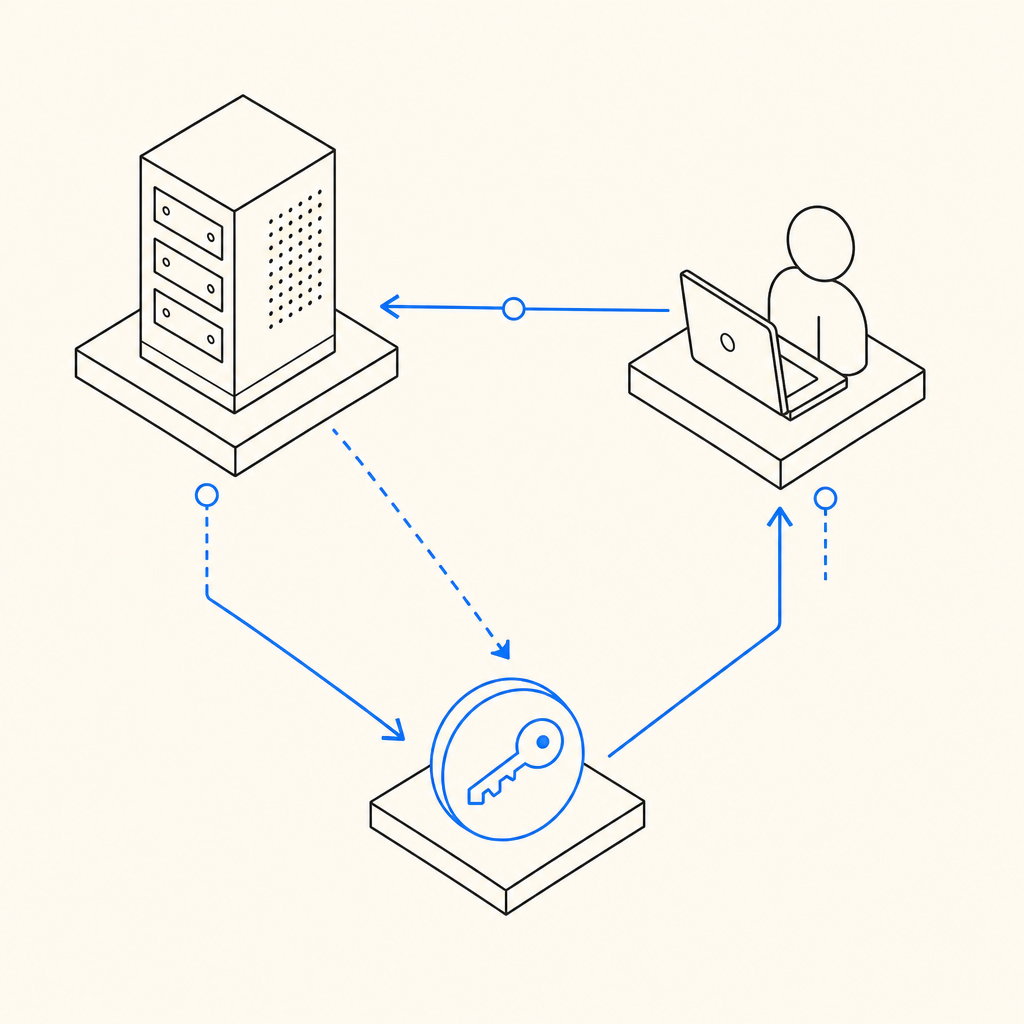
2) Validate with a server-to-server call
Validation should happen from your backend, not from the client. The validation endpoint uses the pass token and client IP:
POST https://apiv1.captcha.la/v1/validate
Body: { pass_token, client_ip }
Headers: X-App-Key, X-App-Secret
That structure is important because it ties the result to your application credentials and reduces the chance of replaying a token from elsewhere.
3) Load the frontend widget cleanly
If you are embedding a challenge widget, keep the script loading simple and predictable:
<script src="https://cdn.captcha-cdn.net/captchala-loader.js"></script>Use it the same way you would treat any third-party script: load it deliberately, avoid duplicating it, and verify that it does not block the rest of your form if the network is slow.
4) Pick the right SDK for your stack
If you are building native or hybrid apps, the SDK choice matters more than the appearance of the demo.
- Maven:
la.captcha:captchala:1.0.2 - CocoaPods:
Captchala 1.0.2 - pub.dev:
captchala 1.3.2 - Server SDKs:
captchala-php,captchala-go
That mix makes it easier to keep behavior consistent across web and mobile while still verifying server-side.
Example server flow
Here is a simple backend sequence in pseudocode. The comments are intentionally plain and focused on control flow:
# Receive the client form submission
pass_token = request.form["pass_token"]
client_ip = request.headers.get("X-Forwarded-For", request.remote_addr)

# Validate the challenge response with the provider
result = post_json(
    "https://apiv1.captcha.la/v1/validate",
    headers={
        "X-App-Key": APP_KEY,
        "X-App-Secret": APP_SECRET,
    },
    body={
        "pass_token": pass_token,
        "client_ip": client_ip,
    },
)

# Block the action if validation fails
if not result["success"]:
    return error("Challenge verification failed")

# Continue with login, signup, or the protected action
return success("Verified")
That flow is intentionally boring, and that’s a good sign. Bot defense should be reliable enough that you stop thinking about it every time a request comes in.
A note on first-party data
When you evaluate vendors, it helps to ask what data they rely on. CaptchaLa’s model is based on first-party data only, which can simplify privacy review and reduce surprises in regulated environments. That may not be the deciding factor for every team, but it is worth noting alongside latency, accessibility, and developer experience.
When an audio captcha demo is the wrong tool
Sometimes the right answer is not “add more challenge friction.” If your traffic is mostly legitimate and your abuse rate is low, you may do better with a quieter approach like Turnstile-style friction reduction or risk-based checks behind the scenes. If your audience includes users on assistive tech, an audio captcha can help, but only if it is genuinely usable.
A few signals that suggest you need to revisit the design:
- Users repeatedly fail the same challenge type
- Mobile users cannot reliably interact with the audio fallback
- Screen-reader support is inconsistent
- Bots are passing because the audio is too predictable
- You are depending on the challenge alone instead of combining it with rate limits, IP reputation, session checks, and behavior signals
The most durable setup is usually layered:
- challenge only where risk is elevated
- server-side validation every time
- rate limiting and abuse heuristics around the flow
- a fallback path that is accessible and tested regularly
Where to go next
If you’re planning an audio captcha demo for a real product, start with the documentation and make sure your backend validation path is clear before you ship the UI. The docs cover the integration points, and pricing can help you match usage to expected traffic.