
If you want to add captcha to WordPress registration, the safest approach is to protect the registration form at the server boundary, not just by dropping a widget onto the page. That means choosing a CAPTCHA or bot-defense provider, loading its client-side challenge on the registration screen, and verifying the pass token on your backend before WordPress creates the account.
For most sites, this is a straightforward hardening step: it reduces fake signups, slows credential-stuffing adjacent abuse, and keeps your user database cleaner without making the form unusable for real people. The key is to implement it in a way that fits your WordPress stack, your traffic, and your privacy requirements.

Why WordPress registration gets targeted
WordPress registration pages are predictable, public, and often lightly protected. That makes them attractive to automated scripts that try to create accounts at scale for spam, referral abuse, scraping, or later abuse of comments and profile fields.
A few common symptoms:
- Sudden spikes in new accounts from a small range of IPs or user agents.
- Disposable email addresses clustered around the same time window.
- Usernames with random strings, repeated patterns, or mixed-language noise.
- Accounts that never engage after signup, but still consume resources.
The goal is not to make registration “hard.” It’s to make it expensive for bots and nearly invisible for humans. That’s where CAPTCHA and bot-defense tools help. Options like reCAPTCHA, hCaptcha, and Cloudflare Turnstile all solve parts of the problem, but they differ in privacy posture, UX, and implementation style.
If you prefer a first-party, data-minimizing approach, CaptchaLa is worth a look because it is designed around first-party data only and supports multiple UI languages, which can matter on multilingual WordPress sites.
Choose the integration pattern before you code
Before you add anything to WordPress, decide where validation should happen. In practice, there are three patterns:
1) Frontend challenge plus backend verification
This is the most common setup. The browser loads a challenge script, the user completes it, and your server verifies the resulting pass token before allowing registration.
For CaptchaLa, the client loads from:
https://cdn.captcha-cdn.net/captchala-loader.jsThen your server validates the token with:
POST https://apiv1.captcha.la/v1/validateusing headers X-App-Key and X-App-Secret, with a body like:
{ "pass_token": "…", "client_ip": "…" }That server-side step matters. Client-only checks are easy to fake; server verification is what actually blocks automation.
2) Server-issued challenge flow
Some applications need tighter control over when a challenge is issued. In that case, a server token or challenge-issue endpoint can be used to start the flow from your backend:
POST https://apiv1.captcha.la/v1/server/challenge/issueThis can be useful when you want more conditional logic, such as only challenging suspicious registrations, specific geographies, or repeated attempts.
3) Plugin-based integration
If you’re using an existing WordPress plugin architecture, a CAPTCHA plugin or a custom plugin hook may be easiest. This keeps the form markup and verification logic close to the registration flow, rather than scattering it across theme files.
A practical WordPress implementation path
WordPress registration usually runs through hooks, filters, or a dedicated plugin. The exact path depends on whether you’re protecting:
- the default
/wp-login.php?action=registerflow, - a custom membership plugin,
- or a WooCommerce account creation form.
A clean implementation has four steps:
Render the challenge on the form.
Add the client loader and the challenge container to the registration page.Capture the pass token.
When the challenge completes, store the token in a hidden field.Verify on the server.
On form submission, send the token plus the client IP to your validation endpoint.Block or allow account creation.
If validation fails, return a form error and do not callwp_create_user()or the equivalent plugin hook.
Here’s a simplified example of the server-side idea in PHP-style pseudocode:
<?php
// English comments only

function captchala_verify_registration($pass_token, $client_ip) {
    $response = wp_remote_post('https://apiv1.captcha.la/v1/validate', [
        'headers' => [
            'X-App-Key'    => 'YOUR_APP_KEY',
            'X-App-Secret' => 'YOUR_APP_SECRET',
            'Content-Type'  => 'application/json',
        ],
        'body' => json_encode([
            'pass_token' => $pass_token,
            'client_ip'  => $client_ip,
        ]),
        'timeout' => 10,
    ]);

    if (is_wp_error($response)) {
        return false;
    }

    $data = json_decode(wp_remote_retrieve_body($response), true);

    return !empty($data['success']);
}

add_filter('registration_errors', function($errors, $sanitized_user_login, $user_email) {
    $pass_token = isset($_POST['captchala_pass_token']) ? sanitize_text_field($_POST['captchala_pass_token']) : '';
    $client_ip   = $_SERVER['REMOTE_ADDR'] ?? '';

    if (!$pass_token || !captchala_verify_registration($pass_token, $client_ip)) {
        $errors->add('captchala_failed', 'Please complete the human verification step and try again.');
    }

    return $errors;
}, 10, 3);
?>
That example is intentionally simple. In production, you’d also want to:
- keep keys in environment variables or secure config,
- log failures without storing sensitive data,
- handle timeouts gracefully,
- and make sure the challenge state cannot be replayed.
If you’re building a custom plugin, docs is the right place to check the current request formats and SDK guidance.
Comparing common CAPTCHA options for WordPress
There is no single right answer for every site. The tradeoffs are mostly around privacy, friction, and maintenance.
| Provider | UX style | Privacy posture | Server verification | Typical fit |
|---|---|---|---|---|
| reCAPTCHA | Familiar, widely recognized | More Google-linked data flow | Yes | Sites that want broad familiarity |
| hCaptcha | Similar challenge model | Privacy-oriented positioning | Yes | Sites wanting a strong alternative |
| Cloudflare Turnstile | Low-friction, often invisible | Cloudflare ecosystem | Yes | Sites already using Cloudflare |
| CaptchaLa | Challenge-based, multilingual | First-party data only | Yes | Sites wanting a privacy-focused, flexible option |
A useful way to think about this is not “which one is strongest?” but “which one fits the registration risk and the user experience you can tolerate?” A low-traffic membership site may prefer a simpler visual challenge. A public SaaS signup form may need more adaptive challenge behavior. A multilingual community site may care more about language coverage and accessibility.
CaptchaLa supports 8 UI languages and native SDKs for Web (JS, Vue, React), iOS, Android, Flutter, and Electron, which is helpful if your registration flow extends beyond a plain WordPress page. It also has server SDKs for PHP and Go, so if your WordPress backend talks to other services, you can keep the verification logic consistent across systems.
Security and usability details that matter
A CAPTCHA is only one layer. If you want WordPress registration protection to hold up, pair it with a few additional controls:
- Rate-limit registration attempts by IP, subnet, or device fingerprint where appropriate.
- Reject disposable email domains if your product policy allows it.
- Validate the client IP carefully if you’re behind a proxy or CDN.
- Return generic errors so bots can’t distinguish “bad token” from “bad email.”
- Monitor anomalies such as repeated failed verifications or sudden locale changes.
Also, remember that “harder for bots” should not mean “unusable for humans.” Overly strict challenge logic can create signup drop-off, especially on mobile. That is one reason many teams test a few providers before settling. Cloudflare Turnstile can be very low-friction, while reCAPTCHA and hCaptcha may feel more explicit to users. The right choice depends on whether your priority is invisibility, familiarity, or control.
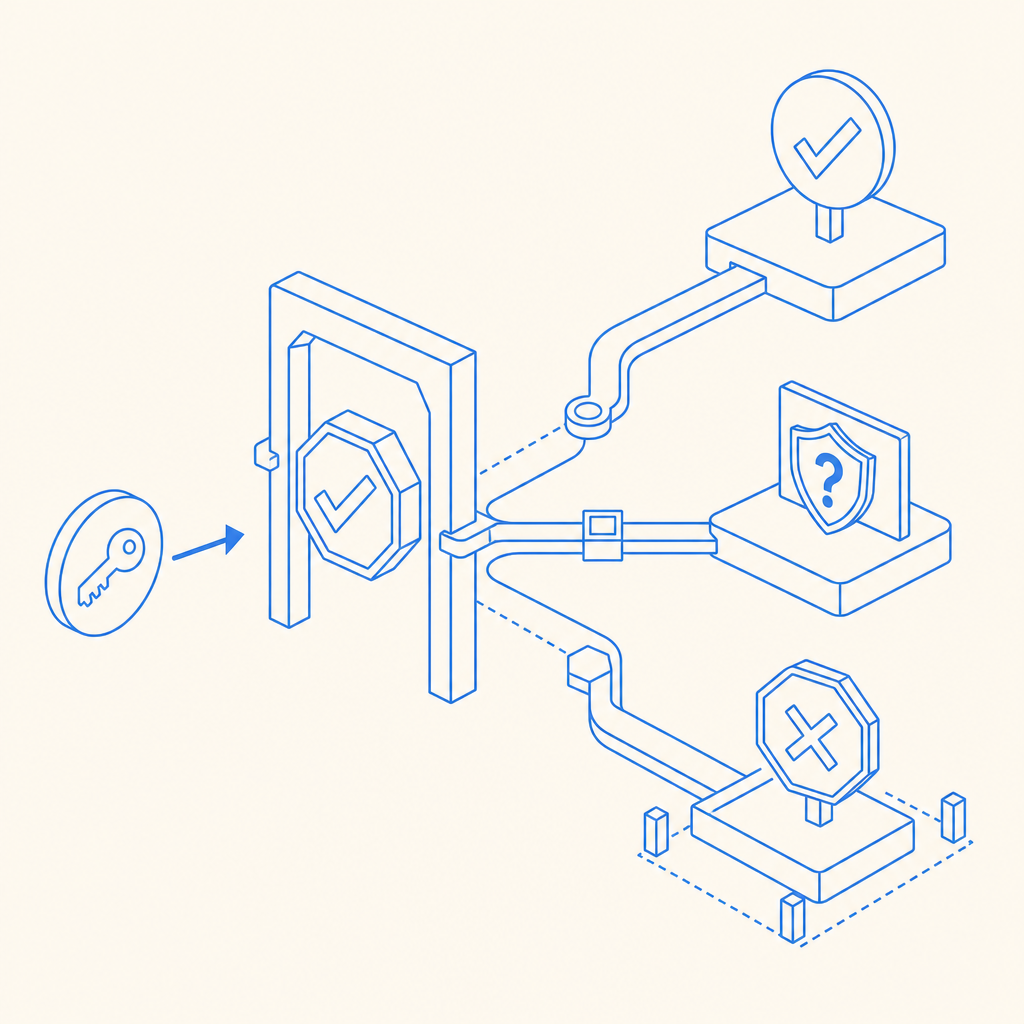
If your WordPress setup serves multiple regions, the language side matters too. Since CaptchaLa offers 8 UI languages, you can reduce friction for non-English users without building separate flows for each locale.
Where to place the control in WordPress
In WordPress, the most reliable place to enforce CAPTCHA is the server-side registration handler. That can be:
- a custom plugin using
registration_errors, - a membership plugin’s pre-create hooks,
- or an overridden registration endpoint in a custom theme or mu-plugin.
The reason is simple: client-side checks can be removed, hidden, or bypassed if they are the only control. Server-side validation is the real gate. If you are integrating a SaaS like CaptchaLa, that’s also where you can centralize your abuse logic, logging, and fallback behavior.
For teams evaluating rollout cost, pricing is a useful place to compare plan sizing. The available tiers include a free tier at 1,000 monthly requests, Pro at 50K–200K, and Business at 1M, which maps nicely to small blogs, growing membership sites, and larger properties.
Final checklist before you ship
Before you turn it on for everyone, test these items:
- Form submission succeeds with a valid pass token.
- Invalid or expired tokens are rejected.
- The form still works when the challenge script fails gracefully.
- The site handles slow network conditions without hanging registration.
- Logs show enough detail to debug, but not enough to expose secrets.
If you want the shortest path from prototype to production, start with the docs, wire the challenge into the registration form, and verify on the backend before account creation. That is the difference between “we added a widget” and “we actually protected registration.”
Where to go next: review the implementation details in the docs or check plan sizing on the pricing page.