
If you’re asking about all captcha types, the short answer is that they’re different ways to prove a visitor is likely human, usually by balancing security, accessibility, and friction. Some challenge the user directly, some score behavior silently, and some rely on device or network signals. The right choice depends on your threat model, your audience, and how much interaction you can tolerate.
Most teams don’t need every type of CAPTCHA; they need the right mix for signup, login, checkout, password reset, or ticketing flows. That’s the useful way to think about this topic: not “which CAPTCHA is strongest,” but “which control creates enough confidence without blocking real users.”
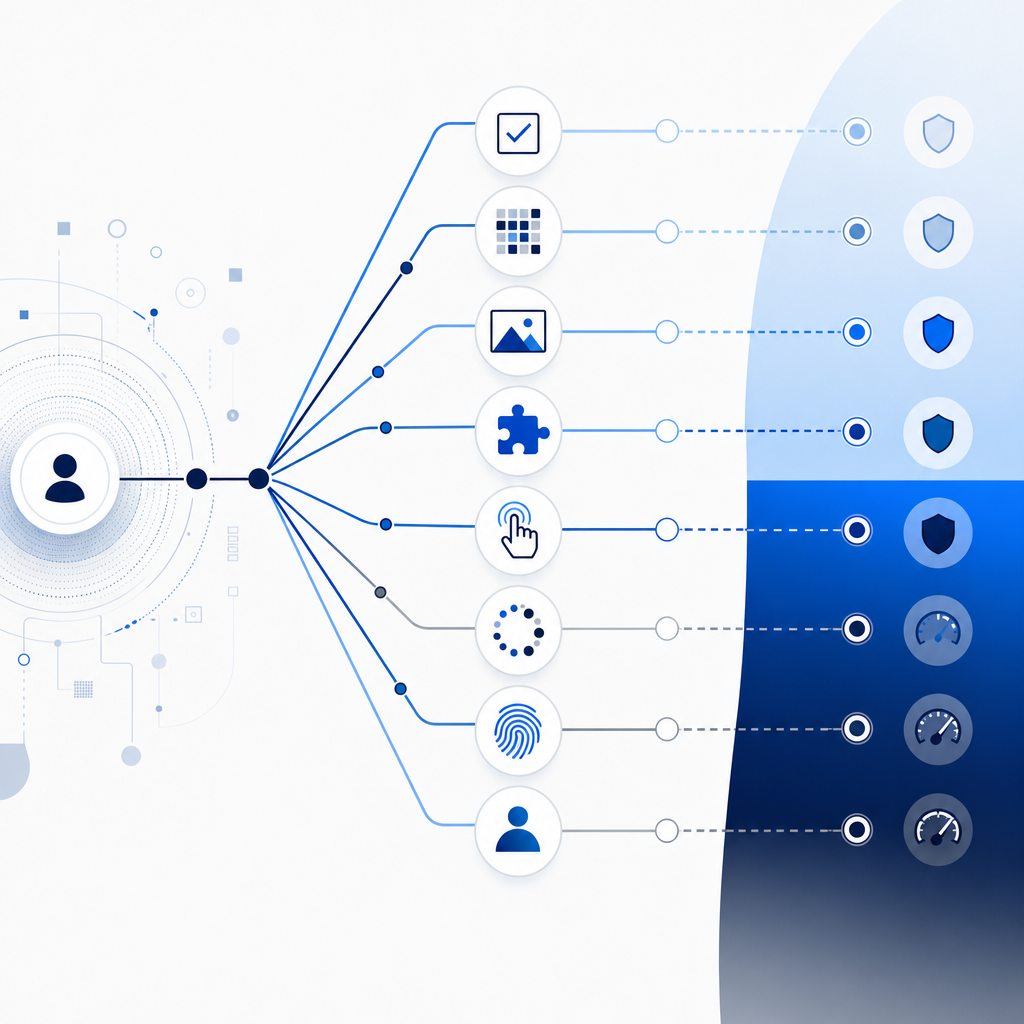
The main captcha types, explained
There isn’t one universal taxonomy, but defenders usually group all captcha types into a few practical families.
1) Text and image challenge CAPTCHAs
These are the classic puzzles: distorted text, object selection, image grids, or “click all squares with traffic lights.” They ask a user to solve a task that bots historically struggled with.
Why teams still use them:
- Easy to understand conceptually
- Can be effective against very simple automation
- Familiar fallback when more advanced signals fail
Trade-offs:
- Higher friction
- Accessibility concerns, especially for screen readers and users with cognitive load
- Often weaker against modern automation that can solve or farm challenges at scale
2) Behavioral or risk-based CAPTCHAs
These systems watch interaction patterns: mouse movement, touch timing, keystroke cadence, page flow, device consistency, and request anomalies. Users may never see a challenge unless risk rises.
Why they’re popular:
- Lower friction for most users
- Better fit for login, signup, and checkout funnels
- Can adapt to traffic quality in real time
Trade-offs:
- You need enough telemetry to make a decision
- Privacy and data-minimization choices matter
- False positives can be painful if the score is too aggressive
3) Checkbox and invisible CAPTCHAs
These are the “I’m not a robot” style interactions, plus variants that do the assessment invisibly in the background. They often combine behavioral analysis with challenge escalation when needed.
Examples:
- reCAPTCHA checkbox and invisible modes
- hCaptcha challenge flows
- Cloudflare Turnstile’s more background-oriented approach
Trade-offs:
- Usually less annoying than full puzzle challenges
- Still dependent on a third-party system if you use an external provider
- Some flows can degrade into a visual challenge when risk is high
4) Device, network, and attestation-based approaches
These methods use signals from the device, browser, app environment, IP reputation, session continuity, or platform attestation. They may not look like “CAPTCHA” in the classic sense, but they serve the same control objective.
Why they matter:
- Good for mobile apps and native clients
- Useful when you want to validate the client environment as part of the trust decision
- Often easier to combine with server-side risk checks
Trade-offs:
- Needs careful implementation
- Can be sensitive to privacy, proxies, and legitimate VPN use
- Works best as part of a layered defense, not as a standalone gate
A practical comparison of all captcha types
The right choice is usually about friction versus assurance. Here’s a compact way to compare the common options.
| Type | User friction | Accessibility | Typical strength | Best use case |
|---|---|---|---|---|
| Distorted text/image puzzle | High | Mixed to poor | Moderate against basic bots | Low-volume public forms |
| Behavioral scoring | Low | Good | Strong when telemetry is solid | Login, signup, checkout |
| Checkbox / invisible | Low to moderate | Better than puzzles | Moderate to strong | General web protection |
| Device/network attestation | Low | Good | Strong in controlled clients | Mobile, native, app-backed flows |
A useful rule: if your users are mostly returning and authenticated, prefer low-friction or invisible checks. If you’re dealing with a hostile public endpoint, you may need step-up challenges or stronger server-side validation.
Choosing the right CAPTCHA for your flow
The best fit changes by endpoint. A signup page is not the same as a password reset endpoint, and a mobile app is not the same as a browser form.
Login
- Use low-friction checks first.
- Add step-up challenges only when the risk score spikes.
- Keep lockouts and rate limits in place; CAPTCHA should not be your only control.
Registration
- Expect automation, credential stuffing, and disposable identities.
- Favor behavioral or invisible checks, plus email/phone verification if appropriate.
- Consider stricter controls on high-value actions after signup.
Checkout or coupon redemption
- Focus on abuse economics.
- You want a control that blocks bots without harming conversion.
- Risk-based triggers are often better than forcing every customer through a puzzle.
Password reset / account recovery
- Treat this like a high-risk endpoint.
- Combine CAPTCHA with rate limiting, token binding, and alerting.
- Don’t rely on challenge solving alone; account recovery is where fraud often concentrates.
API or app-backed flows
- Prefer server-verifiable tokens and app-native SDKs.
- If the client is mobile or embedded, a device-aware approach tends to be cleaner than a web-only challenge.
If you’re evaluating providers, look at how much first-party data they require, what signals are sent off-device, and whether the integration fits your stack. CaptchaLa is designed around server-verifiable validation and first-party data only, which matters if you’re trying to keep your trust pipeline simple.

How defenders should integrate CAPTCHA without adding chaos
A CAPTCHA works best when it is treated as one control in a layered system, not the whole security story.
A good implementation usually looks like this:
Collect the token on the client
- Use the platform SDK that matches your channel.
- CaptchaLa supports Web (JS, Vue, React), iOS, Android, Flutter, and Electron.
- That matters because a single UX pattern rarely fits every client.
Send the token to your backend
- Validate server-side, never trust the browser alone.
- For CaptchaLa, validation is a POST request to
https://apiv1.captcha.la/v1/validate. - The body includes
pass_tokenandclient_ip, withX-App-KeyandX-App-Secretheaders.
Decide, don’t just record
- Turn validation into an allow/deny or step-up decision.
- If the request is unusual, you can escalate to a stronger challenge or additional verification.
Log outcomes with context
- Record endpoint, outcome, score or reason, client category, and abuse pattern.
- That helps you tune thresholds instead of guessing.
Measure user impact
- Track conversion, abandonment, and support tickets.
- A CAPTCHA that blocks attackers but quietly breaks signups is still a problem.
For native and hybrid stacks, the integration can be fairly straightforward. CaptchaLa provides SDKs for server-side and app-side use, including captchala-php, captchala-go, Maven la.captcha:captchala:1.0.2, CocoaPods Captchala 1.0.2, and pub.dev captchala 1.3.2. If you want the implementation details, the docs are the right place to start.
// English comments only
// 1. Receive the client token from the front end
// 2. Forward token and client IP to the validation endpoint
// 3. Check the server response
// 4. Allow, block, or step up the request based on risk
If you need a challenge issuance flow rather than just validation, CaptchaLa also exposes a server-token endpoint at POST https://apiv1.captcha-la/v1/server/challenge/issue. That’s useful when your backend needs to initiate a challenge on demand rather than waiting for the client to request one.
What to remember when comparing providers
It’s tempting to compare CAPTCHAs only by what users see, but the backend model matters just as much. Ask:
- Can I validate on my server?
- How much data leaves my environment?
- How many languages and frameworks are supported?
- Can I tune friction by risk?
- What happens when users fail or abandon the challenge?
Those questions help separate a convenient widget from a real bot-defense layer. reCAPTCHA, hCaptcha, and Cloudflare Turnstile each have legitimate use cases, and the best choice depends on your architecture, privacy posture, and traffic profile. The main point is to choose a control that fits the endpoint, not the other way around.
CaptchaLa’s public tiering is also straightforward: Free covers 1,000 validations per month, Pro covers 50K–200K, and Business covers 1M. If you’re planning traffic growth or a migration, that kind of structure makes forecasting easier than guessing at hidden thresholds. You can review the current details on pricing.
Where to go next: if you’re mapping all captcha types to a real product flow, start with the docs, then compare plans on pricing to see what fits your volume.