
If you want to add captcha to Shopify, the goal should not be “block everyone harder.” The goal is to stop automated abuse while keeping real shoppers moving. The good news: you can do that with a lightweight challenge on the right Shopify forms, plus server-side validation for anything that matters.
For most stores, the highest-value places to protect are contact forms, account creation, login, discount code requests, wishlist actions, and any custom app endpoints tied to customer data or inventory. If you’re using a modern CAPTCHA layer such as CaptchaLa, the workflow is straightforward: render a challenge on the client, validate the pass token on your backend, and only accept the request once the token is verified.
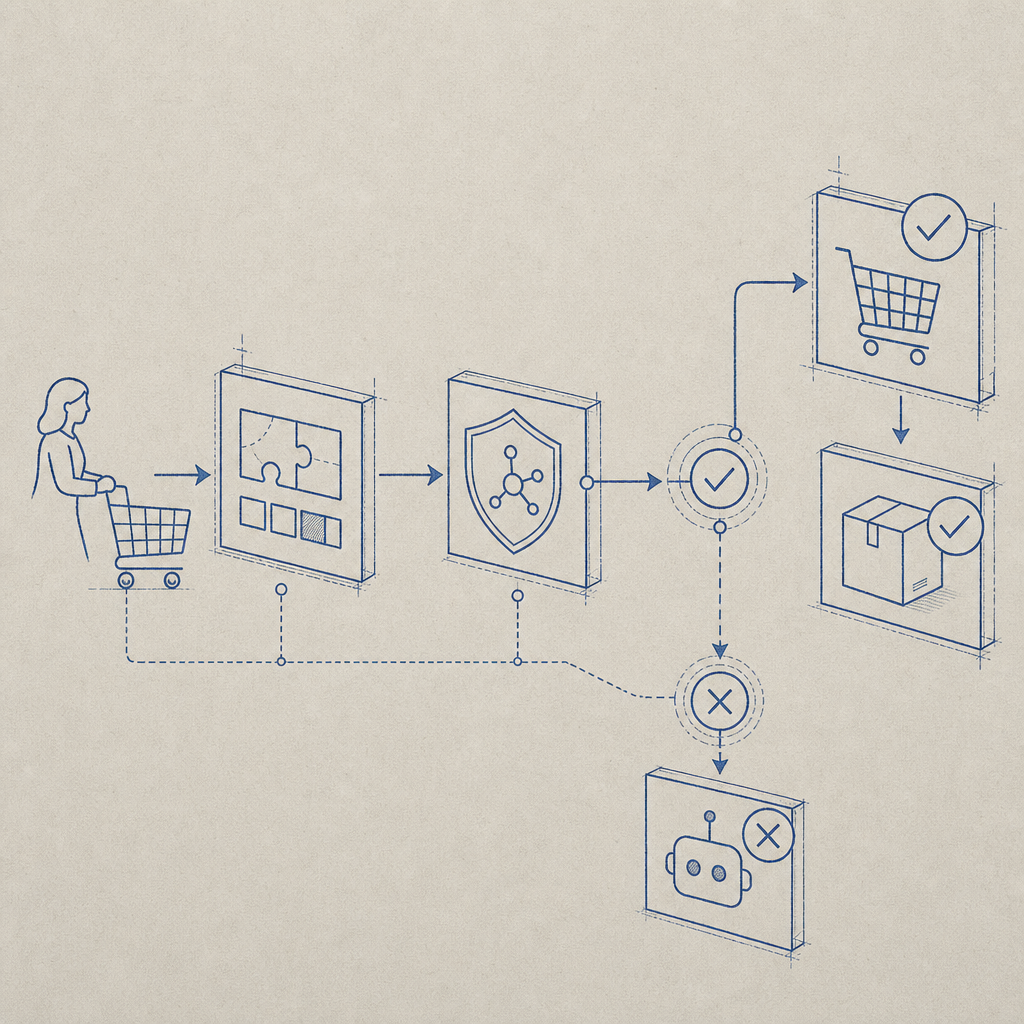
Where CAPTCHA belongs in a Shopify store
Shopify storefronts are not one big “add CAPTCHA here” switch. You usually have a few distinct surfaces, and each one deserves a different level of protection.
Common Shopify attack targets
- Customer account creation — fake account farms and email abuse.
- Login and password reset forms — credential stuffing and enumeration.
- Contact and support forms — spam submissions and ticket flooding.
- Discount or waitlist forms — automated harvesting and list pollution.
- Custom app endpoints — abuse against APIs you own, especially if they create records or trigger notifications.
A practical rule: protect the action that causes work for your team, costs money, or exposes data. You usually do not need to challenge every page view. That just adds friction without reducing meaningful risk.
If your store is simple, a single challenge on account and contact forms may be enough. If your Shopify setup includes apps, custom storefront code, or a headless frontend, you can apply CAPTCHA more selectively and tune it by route, risk score, or user behavior.
A simple implementation model
The easiest way to think about it is: browser challenge first, server validation second.
- Load the CAPTCHA script on the page where the form appears.
- Render the widget or trigger the challenge before submission.
- Receive a pass token from the browser.
- Send the token with the form submission to your backend.
- Verify it server-side before creating an account, sending a message, or accepting the request.
- Reject missing, expired, or invalid tokens and log the failure for review.
For CaptchaLa, the validation endpoint is:
POST https://apiv1.captcha.la/v1/validatewith a body containing pass_token and client_ip, plus your X-App-Key and X-App-Secret headers. That server-side step matters because client-side checks alone are easy to fake.
Here is a simplified example of the flow:
// Example server-side verification flow
// English comments only, as requested

async function verifyCaptcha(passToken, clientIp) {
  const response = await fetch("https://apiv1.captcha.la/v1/validate", {
    method: "POST",
    headers: {
      "Content-Type": "application/json",
      "X-App-Key": process.env.CAPTCHALA_APP_KEY,
      "X-App-Secret": process.env.CAPTCHALA_APP_SECRET,
    },
    body: JSON.stringify({
      pass_token: passToken,
      client_ip: clientIp,
    }),
  });

  if (!response.ok) {
    return { ok: false };
  }

  const data = await response.json();
  return { ok: data?.success === true };
}
Shopify-specific ways to wire it in
Shopify has a few implementation paths, and the right one depends on whether you are using Liquid themes, app extensions, or a headless frontend.
1) Theme-based storefronts
If you are working in a traditional Shopify theme, place the challenge on the relevant form template or section. For example:
- customer register
- login
- contact
- newsletter signup
- custom embedded app form
Add the loader script where the form is rendered:
<script src="https://cdn.captcha-cdn.net/captchala-loader.js"></script>Then, when the form submits, include the pass token in a hidden field or request payload. Your app server or endpoint should validate the token before continuing.
2) App proxies or custom endpoints
If your storefront posts to an app proxy, middleware, or custom API, CAPTCHA is even easier to enforce centrally. Validate the token once on the backend, then apply the business action only when the response is successful.
This is the cleanest option for:
- bulk request forms
- inventory alerts
- back-in-stock subscriptions
- loyalty account actions
- custom checkout-adjacent flows
3) Headless Shopify
If you use Hydrogen, Remix, Next.js, or another headless setup, treat CAPTCHA as a normal front-to-back integration. That often gives you the most control over:
- conditional challenge rules
- locale handling
- session-aware risk checks
- custom analytics on validation failures
CaptchaLa supports 8 UI languages and native SDKs for Web (JS/Vue/React), iOS, Android, Flutter, and Electron, so if your Shopify experience extends beyond the browser, you can keep the same protection model across surfaces.
Choosing between CAPTCHA options
Shopify merchants often compare reCAPTCHA, hCaptcha, and Cloudflare Turnstile before they add a solution. That comparison is worth making because each option has different tradeoffs.
| Option | Typical strength | UX impact | Integration notes |
|---|---|---|---|
| reCAPTCHA | Strong abuse protection, widely known | Can feel heavier on some users | Familiar to many devs; Google ecosystem dependency |
| hCaptcha | Good bot defense, privacy-focused positioning | Usually moderate | Often used when teams want an alternative to Google |
| Cloudflare Turnstile | Low-friction challenge flow | Often lighter experience | Good fit when you already use Cloudflare |
| CaptchaLa | First-party data only, flexible validation flow | Designed to stay lightweight | Includes server validation and SDKs for web and mobile |
The “right” choice depends on your stack, your compliance posture, and how much control you want over data handling. If first-party data only matters to your team, that should be part of the decision, not an afterthought. CaptchaLa is built with that in mind, and its pricing tiers can fit small shops or larger stores; you can review pricing if you need to estimate usage.
Practical tuning so you do not annoy real customers
A CAPTCHA can protect your store and still be pleasant to use, but only if you deploy it thoughtfully.
Good tuning habits
- Protect only risky actions. Do not challenge every visitor by default.
- Keep the challenge near the submit button. Users should understand why it appeared.
- Fail closed for sensitive actions. If validation fails, reject the request.
- Log validation failures. Repeated failures may indicate scripted abuse.
- Use route-specific rules. Login and contact forms should not behave the same way.
- Test mobile thoroughly. Many abandoned submissions happen on small screens.
- Support locale needs. If your audience is multilingual, language coverage matters.
For stores with occasional bursts of abuse, a free tier can be enough to start measuring traffic patterns. CaptchaLa’s free tier includes 1000 requests per month, which is useful if you’re instrumenting a few forms first. If you scale into higher traffic, usage tiers can grow with the store rather than forcing a redesign.
You can also tie CAPTCHA outcomes to broader fraud signals. For example, if a request passes CAPTCHA but looks suspicious for other reasons, you can still route it to moderation or rate-limit it. That layered approach is far more resilient than trusting a single signal.
Where to go next
If you are implementing this now, start with one form, validate server-side, and monitor the failure rate before expanding coverage. The docs at docs are the fastest place to map the flow to your stack, and CaptchaLa has the endpoint and SDK details you need to ship cleanly.
Where to go next: check docs for integration steps or compare pricing to match your store’s traffic.