
Adding CAPTCHA to a React app is essential for protecting your forms and user interactions from automated bots and spam. The process involves integrating a CAPTCHA provider’s widget or API into your frontend, then validating user responses on the backend. This guide breaks down how to add CAPTCHA to your React app using modern best practices, along with insights into options like CaptchaLa, Google reCAPTCHA, hCaptcha, and Cloudflare Turnstile.
Why Add CAPTCHA to Your React App?
CAPTCHAs serve as gatekeepers to verify human users and filter out malicious or automated traffic. For React apps, this usually means adding a challenge to forms like sign-ups, logins, or feedback submissions. Without CAPTCHA, bots can flood your backend with fake requests, compromising data quality and wasting resources.
By integrating CAPTCHA:
- You reduce spam and abuse.
- You improve user trust by ensuring safer interactions.
- You maintain backend integrity with validated inputs.
Although adding CAPTCHA can add a small step to user flows, modern solutions emphasize ease of use and accessibility.
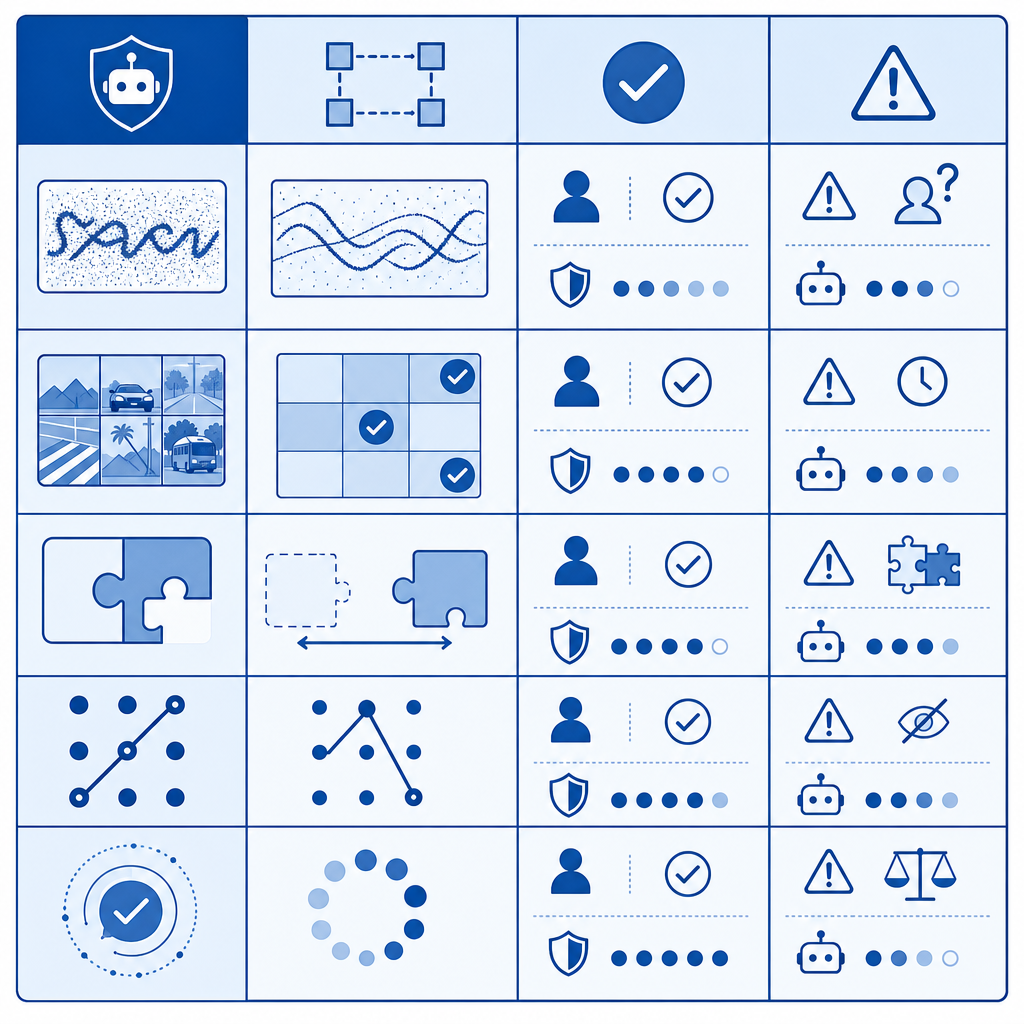
Popular CAPTCHA Providers Compared
| Feature | CaptchaLa | Google reCAPTCHA v3/v2 | hCaptcha | Cloudflare Turnstile |
|---|---|---|---|---|
| UI Languages | 8 native languages | Multiple supported | Multiple | Multiple |
| React/JS SDKs | Yes (native React SDK) | Yes (libraries, but manual setup) | Yes (React components) | No official React SDK yet |
| Anti-bot Approach | Token-based challenge + validation | Risk analysis + challenges | Token + puzzles | Token-based, no challenges |
| Privacy Focus | First-party data only | Google ecosystem | Privacy-focused alternative | Privacy with Cloudflare data |
| Free Usage Tier | 1000/month free | Free, measured by usage | Free tier available | Free for Cloudflare customers |
| Server SDKs | PHP, Go | Various community SDKs | Various SDKs | Limited SDK support |
Each provider has trade-offs in ease of implementation, privacy, and user experience. CaptchaLa offers native React SDKs alongside multi-language support and privacy-minded first-party data handling.
Step-by-Step: Add CAPTCHA to Your React App with CaptchaLa
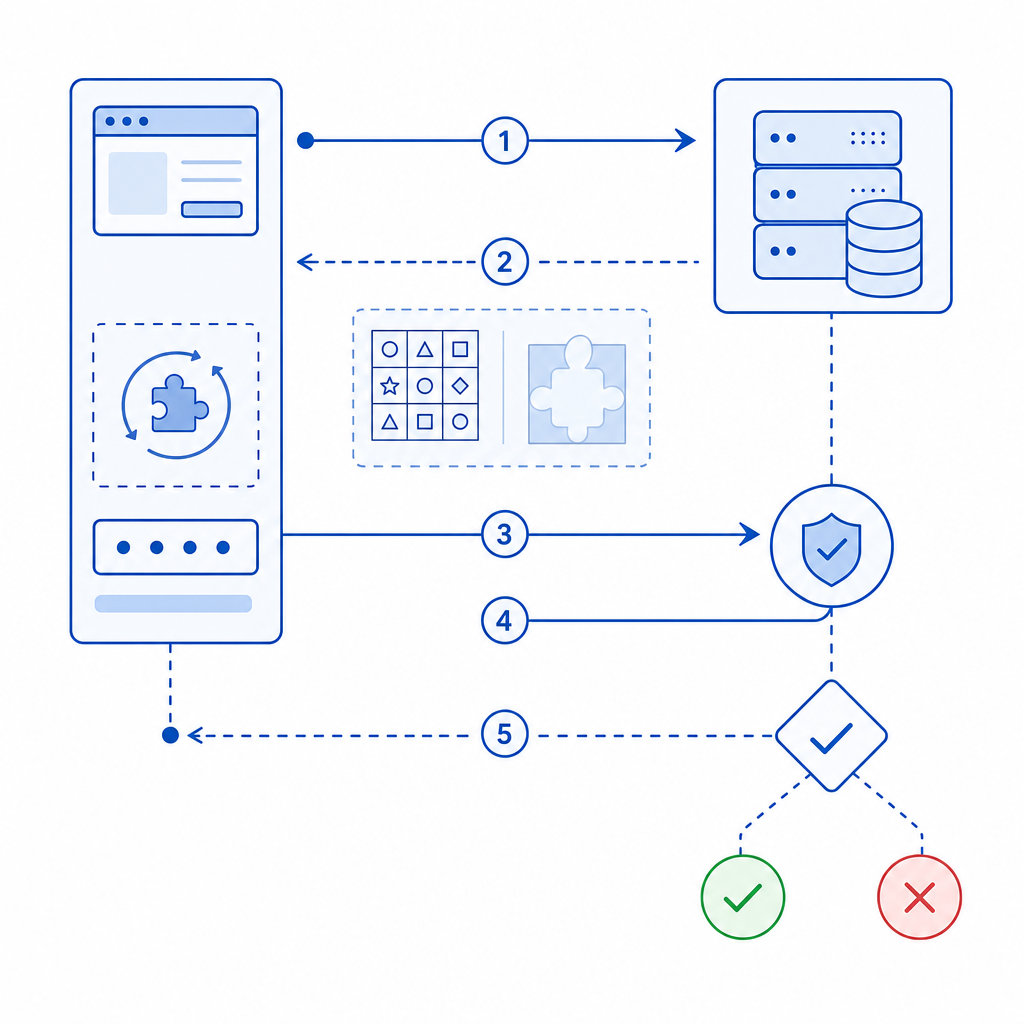
Integrating CaptchaLa in React requires three main steps: loading the CAPTCHA widget, capturing user interaction, and server-side validation.
1. Install and Load CaptchaLa React SDK
First, install the captchala npm package or include the loader script:
npm install captchalaThen add the loader script in your app entry point (e.g., public/index.html or dynamically):
<script src="https://cdn.captcha-cdn.net/captchala-loader.js"></script>2. Initialize and Render the CAPTCHA Widget
In your React component (e.g., a form), import and render the CaptchaLa widget:
import React, { useState } from 'react';
import { CaptchalaWidget } from 'captchala';

function SignupForm() {
  const [captchaToken, setCaptchaToken] = useState(null);

  // Handle token after user completes challenge
  const handleCaptchaPass = (token) => {
    setCaptchaToken(token);
  };

  const handleSubmit = async (event) => {
    event.preventDefault();
    if (!captchaToken) {
      alert('Please complete the CAPTCHA');
      return;
    }
    // Send captchaToken to your server for validation
    const response = await fetch('/api/verify-captcha', {
      method: 'POST',
      headers: { 'Content-Type': 'application/json' },
      body: JSON.stringify({ pass_token: captchaToken }),
    });
    const result = await response.json();
    if (result.success) {
      alert('Signup successful');
    } else {
      alert('CAPTCHA validation failed');
    }
  };

  return (
    <form onSubmit={handleSubmit}>
      {/* Other form inputs */}
      <CaptchalaWidget onPass={handleCaptchaPass} />
      <button type="submit">Sign Up</button>
    </form>
  );
}
3. Validate CAPTCHA Server-Side
On your backend, validate the captcha token with CaptchaLa’s API:
// Example PHP validation endpoint
$pass_token = $_POST['pass_token'] ?? '';
$client_ip = $_SERVER['REMOTE_ADDR'];

$response = file_get_contents('https://apiv1.captcha.la/v1/validate', false, stream_context_create([
  'http' => [
    'method' => 'POST',
    'header' => "Content-Type: application/json\r\nX-App-Key: YOUR_APP_KEY\r\nX-App-Secret: YOUR_APP_SECRET",
    'content' => json_encode(['pass_token' => $pass_token, 'client_ip' => $client_ip]),
  ]
]));

$result = json_decode($response, true);
if ($result['success'] ?? false) {
  // Proceed with form processing
} else {
  // Handle failed validation
}
Make sure to replace YOUR_APP_KEY and YOUR_APP_SECRET with your CaptchaLa credentials.
Alternative Approaches: reCAPTCHA, hCaptcha, Turnstile
If you want more options besides CaptchaLa, here is a summary of the alternatives:
Google reCAPTCHA v2/v3: Widely adopted, provides "invisible" CAPTCHA and risk analysis. Requires Google API keys and usage tracking via Google services. Many React libraries available, but setup can be more involved.
hCaptcha: Focus on privacy and building token exchange-based challenges similar to reCAPTCHA. Has React components available and good for GDPR compliance.
Cloudflare Turnstile: A new token-based CAPTCHA that avoids interactive challenges. It is free but tightly integrated with Cloudflare services and lacks official React SDKs currently.
Each alternative requires backend token verification similar to CaptchaLa but may differ in setup details or privacy commitments.
Best Practices When Adding CAPTCHA in React
Delay CAPTCHA rendering until necessary: Prefer loading CAPTCHA only on forms that require strong bot protection to reduce user friction.
Use server-side validation always: Client-side tokens can be forged, so always verify tokens against the CAPTCHA provider’s API.
Provide accessible alternatives: Choose CAPTCHA solutions supporting accessibility for screen readers and keyboard navigation.
Localize CAPTCHA UI: CaptchaLa supports 8 UI languages out of the box; select the appropriate language matching your user demographic.
Monitor usage metrics: Use your CAPTCHA provider’s dashboard or API logs to monitor challenge success, failures, and suspicious patterns.
By following these tips, you ensure both security and user experience remain balanced.
Wrapping Up: Choosing and Adding CAPTCHA to React
Adding CAPTCHA to your React app is straightforward when you select providers with native React support, such as CaptchaLa. The process involves injecting CAPTCHA widgets, handling tokens on the client, and securely validating them on the server. Comparison of options like Google reCAPTCHA, hCaptcha, and Cloudflare Turnstile reveals varied trade-offs in privacy, usability, and ecosystem dependencies.
If you want a privacy-conscious, developer-friendly CAPTCHA with multi-language support and ready React SDKs, explore CaptchaLa. To get started, check out the detailed docs with code samples and API guides. When you’re ready, their pricing page can help you pick a usage plan that fits your project’s scale.
Adding CAPTCHA today helps maintain the integrity of your React app by keeping bots at bay without frustrating genuine users. Happy coding!