
Adding captcha to a PHP form is essential to protect your website from spam submissions and malicious bots. A CAPTCHA (Completely Automated Public Turing test to tell Computers and Humans Apart) ensures that only real human users can submit your forms. Implementing captcha not only enhances security but also improves data quality and reduces server overload caused by automated spam. This guide will walk you through the key steps to add captcha to your PHP form, highlight some popular captcha options, and show you how to use CaptchaLa for a straightforward, privacy-focused integration.
Why Add Captcha to Your PHP Forms?
Without captcha, automated bots can flood your contact pages, registration forms, or checkout processes with fake requests, potentially leading to spam, database pollution, and even security vulnerabilities. Captchas serve as a gatekeeper by challenging suspicious submissions with tests that are hard for bots but easy for humans.
For PHP developers, the process involves embedding captcha on the client side and validating the response server side before processing the form data. This two-step verification blocks bots early and ensures your backend handles only legitimate user input.
Popular Captcha Solutions for PHP Forms
Several captcha providers are widely used to secure forms in PHP. Here's a quick overview of some well-known options:
| Provider | Captcha Type | Key Features | Privacy & Complexity |
|---|---|---|---|
| Google reCAPTCHA | Checkbox/Invisible | Very popular, good bot detection, free tier | Requires Google account, may track users |
| hCaptcha | Checkbox/Invisible | Focuses on privacy, supports monetization | Privacy-friendly, slightly complex setup |
| Cloudflare Turnstile | Invisible challenge | Requires Cloudflare infrastructure, privacy-oriented | Simple for Cloudflare users only |
| CaptchaLa | Interactive challenges | Lightweight, privacy-first, multi-language SDKs | Minimal data sharing, easy PHP SDK usage |
Each solution has trade-offs in terms of ease of use, integration complexity, user experience, and privacy. For example, reCAPTCHA is often the default choice but has privacy concerns due to Google tracking. CaptchaLa, on the other hand, prides itself on a privacy-focused approach with minimal user data required.
How to Add Captcha to Your PHP Form: Step-by-Step Example
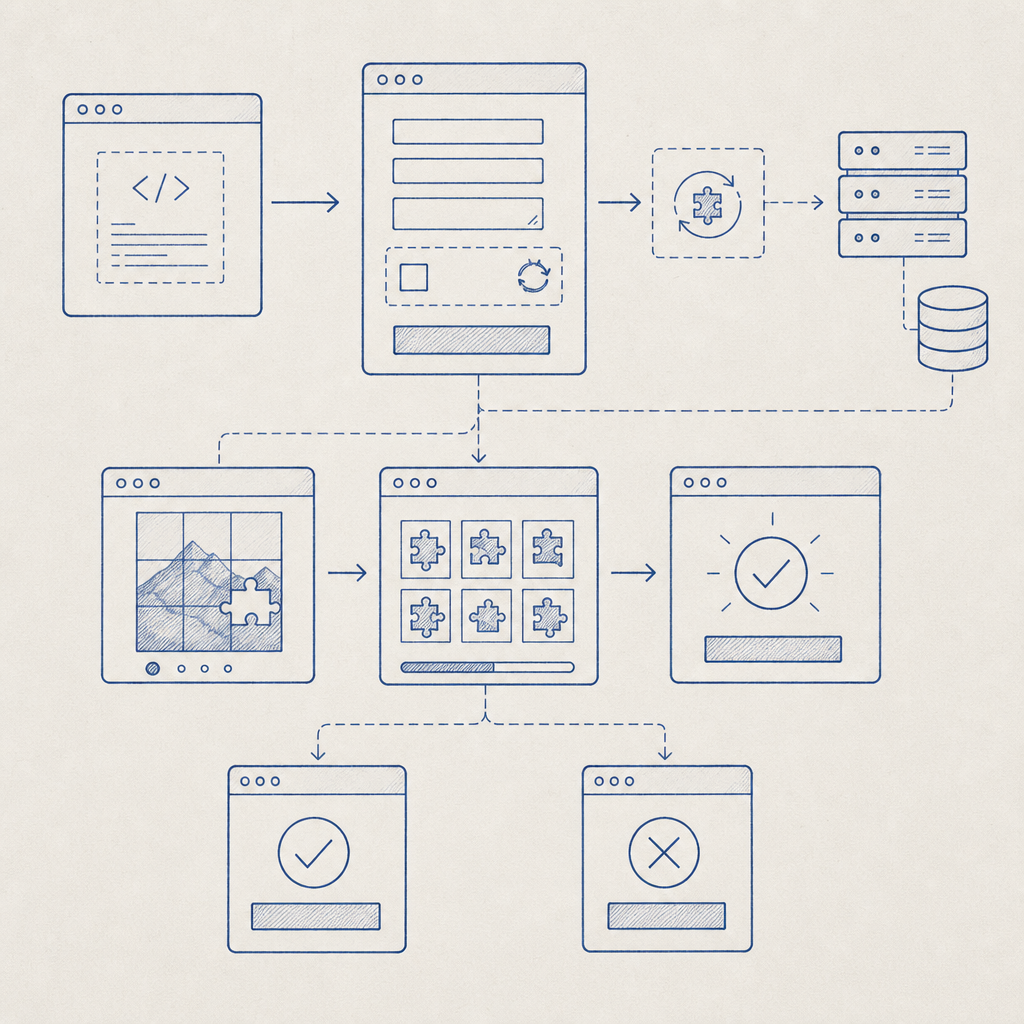
Here’s a practical walkthrough to add captcha to a PHP form using CaptchaLa’s PHP SDK and JavaScript loader.
1. Include CaptchaLa Loader Script on Your Form Page
Insert the client-side loader script before the closing </body> tag. This script renders the captcha widget on your form.
<script src="https://cdn.captcha-cdn.net/captchala-loader.js" async defer></script>2. Add Captcha Widget Container in the HTML Form
Place a <div> where you want the captcha to appear:
<form method="POST" action="submit.php">
  <!-- Your form fields go here -->
  <div id="captchala-container"></div>
  <button type="submit">Submit</button>
</form>

<script>
  // Initialize CaptchaLa widget
  new window.CaptchaLa.Widget('captchala-container', {
    appKey: 'YOUR_APP_KEY'  // Replace with your CaptchaLa app key
  });
</script>
3. Validate Captcha Server-Side in PHP
After the form is submitted, use the captchala-php SDK or direct API call to validate the user’s captcha token. This protects your form processing logic from automated submissions.
Example using direct API call in PHP:
<?php
if ($_SERVER['REQUEST_METHOD'] === 'POST') {
    $pass_token = $_POST['pass_token'] ?? '';
    $client_ip = $_SERVER['REMOTE_ADDR'];

    $api_url = 'https://apiv1.captcha.la/v1/validate';
    $app_key = 'YOUR_APP_KEY';
    $app_secret = 'YOUR_APP_SECRET';

    $data = json_encode([
        'pass_token' => $pass_token,
        'client_ip' => $client_ip
    ]);

    $ch = curl_init($api_url);
    curl_setopt($ch, CURLOPT_HTTPHEADER, [
        'Content-Type: application/json',
        'X-App-Key: ' . $app_key,
        'X-App-Secret: ' . $app_secret,
    ]);
    curl_setopt($ch, CURLOPT_POSTFIELDS, $data);
    curl_setopt($ch, CURLOPT_RETURNTRANSFER, true);

    $response = curl_exec($ch);
    curl_close($ch);

    $result = json_decode($response, true);

    if (!empty($result['success']) && $result['success'] === true) {
        // Captcha passed — process form input safely
        echo "Form submission validated.";
    } else {
        // Captcha failed — reject submission
        echo "Captcha verification failed. Please try again.";
    }
}
?>
4. Handle Form Logic Based on Validation
Only proceed with storing data, sending emails, or other backend processes if captcha verification passes — this tightly controls spam and abuse.
Comparing CaptchaLa with Other Providers
To help you decide, here’s a deeper dive into considerations between CaptchaLa and notable competitors:
| Feature | CaptchaLa | Google reCAPTCHA | hCaptcha | Cloudflare Turnstile |
|---|---|---|---|---|
| Data Privacy | First-party data only, minimal tracking | Ties to Google, collects user data | Privacy-focused, GDPR compliant | Privacy-centric with minimal data |
| SDK Support | PHP, Go, JavaScript, Mobile SDKs | Limited official SDKs | JS and some SDKs | Requires Cloudflare integration |
| User Experience | Interactive challenges, configurable | Invisible or checkbox | Similar UX to reCAPTCHA | Invisible, very seamless |
| Pricing | Free tier (1000/month), scalable plans | Free with usage limits | Free with paid options | Free within Cloudflare customers |
| Setup Complexity | Straightforward with clear docs | Moderate | Moderate | Easy if using Cloudflare |
While Google reCAPTCHA is widespread, some developers prefer the privacy-first approach of CaptchaLa or hCaptcha. CaptchaLa also provides native SDKs for PHP making server-side integration smoother. Its multi-language UI and compatibility with modern frameworks add flexibility for international audiences.
Tips for Smooth Captcha Integration in PHP Forms
- Use SDKs wherever possible — they handle nuances of requests and verification better than raw HTTP calls.
- Keep captcha keys secure by never exposing secret keys in client code.
- Test under different device environments to confirm captcha loads and validates properly.
- Monitor form submission volumes and captcha success rates to adjust settings or plans as needed.
- Consider UX impact — invisible or less intrusive captchas reduce friction for users.

Conclusion
Adding captcha to PHP forms is a proven way to improve form security and reduce spam. Whether you choose CaptchaLa, Google reCAPTCHA, or other providers, focus on your privacy requirements, user experience, and ease of integration. CaptchaLa offers a pragmatic balance with its privacy-first design, multi-platform SDKs, and straightforward PHP server validation.
For developers looking for detailed guidance, CaptchaLa’s documentation provides step-by-step instructions and code samples. Explore your options and pick the captcha solution that fits your project goals best.
Where to go next? Check out CaptchaLa’s pricing plans to see how their free and paid options match your needs, and start implementing bot protection on your forms today.